Bloomington web design, hosting, SEO, and AI visibility

812-650-4405 · david@davidmartindesign.com

Tag: SEO

  • Search Is Changing: How Small Businesses Can Stay Visible in an AI-Driven World

    Search Is Changing: How Small Businesses Can Stay Visible in an AI-Driven World

    You’ve invested in a website. Maybe you’ve done some SEO work over the years. You keep your Google Business Profile updated and ask happy customers for reviews. Things have been working reasonably well.

    But lately, you keep hearing that AI is changing how people find businesses online. And you’re not entirely sure what to make of it, or what (if anything) you should be doing differently.

    Here’s the short version: the changes are real, but they’re not as disruptive as the headlines suggest. Most of what’s worked in recent years still works. There are, however, some new layers worth understanding, and a few practical steps that can help your business stay visible as search continues to evolve.

    I’ve spent the last 20+ years building and maintaining websites for small businesses, nonprofits, and community organizations, primarily here in Bloomington. This post is based on what I’m seeing in my work, what I’m advising clients to do, and what I think matters most for business owners who want practical guidance rather than hype. By the end, you’ll know which SEO fundamentals still matter, what AI search actually changes, and which practical steps are worth your time. You can read more about how I approach this work on my site.

    How We Got Here: A Brief History of SEO

    To understand where search is headed, it helps to know where it’s been.

    What SEO Used to Look Like

    In the early days of search engine optimization, the playbook was pretty straightforward: stuff your pages with keywords, buy as many backlinks as you could, crank out blog posts on a rigid schedule, and hope Google’s algorithm rewarded the effort. For a while, it worked. Search engines weren’t sophisticated enough to tell the difference between genuinely useful content and content designed to game the system.

    Many small businesses either ignored SEO entirely during this era or paid someone to do these things without fully understanding what they were getting. Neither approach was ideal.

    How Google Responded

    Over the past decade-plus, Google released a series of major algorithm updates, each pushing in the same direction. Panda penalized thin, low-quality content. Penguin targeted manipulative link-building. BERT improved Google’s ability to understand natural language. The Helpful Content Update rewarded pages that were genuinely written for people rather than for search engines.

    The through-line across all of these changes is consistent: Google got better at telling the difference between a business that’s trying to be helpful and one that’s trying to look helpful. If you’ve been doing honest work and communicating it clearly online, you’ve been on the right side of these changes all along. Understanding the fundamentals of optimizing your website for search engines is still a good starting point.

    The Local Layer

    The rise of mobile search and “near me” queries changed the game for local businesses in particular. Suddenly, Google Business Profile became a primary way people found and evaluated local businesses. Reviews became a ranking signal. Consistent local business listings across directories started carrying real weight.

    For many small business owners, this was the first time SEO felt directly relevant to their day-to-day operations. And it introduced something that still matters: the way you manage and respond to reviews is visible to both customers and search engines.

    SEO has always been about serving people well. The difference now is that search engines have gotten much better at measuring whether you actually are.

    Where SEO Stands Right Now

    Before we talk about what’s changing, it’s worth taking stock of what’s working today. If you’re a small business owner who wants to make sure your online presence is solid, here’s the current landscape.

    What’s Working

    The fundamentals of a strong web presence haven’t changed dramatically. A well-built, fast, mobile-friendly website with clear navigation is still the foundation. Content that answers the real questions your customers are asking still performs well. A complete, accurate Google Business Profile with recent reviews still drives local discovery.

    Technical trust signals matter too, though they often fly under the radar. An active SSL certificate (the padlock icon in your browser) tells visitors and search engines that your site is secure. Proper email authentication through SPF, DKIM, and DMARC helps ensure your emails reach inboxes and protects your domain’s reputation. I worked with a client recently who was getting flagged by Gmail because of a missing DMARC record, and fixing it made an immediate difference.

    A well-maintained WordPress site with current plugins and security measures remains one of the best platforms for small business websites. The investment in a properly built WordPress site pays dividends over time.

    What’s Stopped Working

    Publishing blog posts on a fixed schedule just to “feed the algorithm” doesn’t carry the weight it once did. Targeting specific keyword densities or chasing exact-match phrases is largely outdated. Buying links or submitting to low-quality directories can actually hurt more than it helps. And treating your website as a “set it and forget it” project has never been a great strategy, but the consequences are more visible now.

    Generic content is another casualty. A page that could apply to any business in any city doesn’t signal the kind of expertise and local knowledge that search engines are looking for. Good WordPress SEO today means writing content that reflects your actual business, your actual customers, and your actual community.

    The Credibility Standard Google Uses Now

    Google’s quality guidance emphasizes a framework called E-E-A-T: Experience, Expertise, Authoritativeness, and Trustworthiness. In plain language, Google is asking: does this business have real experience doing what they say they do? Can I verify that?

    For small business owners, this is actually good news. You don’t need to be a national brand to demonstrate expertise. Author bios that show real credentials, case studies from actual client work, community involvement that’s documented online, and reviews from real customers all contribute to your E-E-A-T signals. Most small businesses that do quality work already have the raw material. They just need to surface it on their website.

    If you’re doing honest work and communicating it clearly online, you’re already ahead of most. The next step is making sure both people and technology can find and understand what you offer.

    What AI Is Actually Changing

    Now for the part you’ve been hearing about. AI is genuinely changing how people search for information and how search engines deliver results. But the changes are more practical than dramatic, and understanding them puts you in a much better position than ignoring them.

    People Are Searching Differently

    Tools like ChatGPT, Google Gemini, and Perplexity have become common ways people look for information, recommendations, and answers. Instead of typing “plumber Bloomington Indiana” into Google, someone might ask an AI tool, “Who’s a reliable plumber in Bloomington that does tankless water heater installs?”

    The AI then pulls from websites, reviews, directories, and other public sources to assemble an answer. Sometimes it names specific businesses. Sometimes it summarizes what it finds and provides links.

    What this means for a local business: your online presence is being read and summarized by machines, not just browsed by humans. Fewer people may click through to your site for simple, factual questions. But the ones who do visit are often further along in their decision-making and more likely to take action.

    Google Is Changing Too

    Google now displays AI Overviews for some searches, especially when its systems think a summary can help answer a more complex question. These are AI-generated summaries that attempt to answer the searcher’s question before they click on any individual result. It’s a significant shift in how information is presented.

    Google is also placing more weight on entities, which means recognized businesses, people, and organizations, rather than just keyword matches. First-hand experience and demonstrated expertise carry more influence than they used to. For local businesses, this reinforces what was already true: your reputation, your reviews, and your documented expertise are your strongest assets.

    Making Your Business Readable by AI

    AI tools look for clear, well-organized information. If your website is confusing to a person, it’s going to be confusing to AI as well. Consistent information across your website, your Google Business Profile, and your directory listings helps AI tools trust and cite your business accurately.

    Structured data, specifically Schema.org markup in JSON-LD format, acts as a labeling system that helps search engines and AI tools categorize your content. Think of it as putting clear labels on a well-organized shelf. It tells machines, “This is a local business,” “This is a service page,” “This is a customer review.” A good SEO plugin like Rank Math handles much of this automatically, but it’s worth understanding what it does and why it matters.

    Open Graph tags help your content display correctly when shared on Facebook and LinkedIn. Twitter Cards serve the same purpose on X. These aren’t new concepts, but they’re increasingly important as more platforms use structured information to decide what to show.

    There’s also an emerging, optional idea called llms.txt that some site owners are experimenting with to make key website information easier for certain AI tools to understand. Google has said it doesn’t use llms.txt for Search or AI Overviews, so I’d treat it as a low-cost supporting step, not a core SEO requirement

    A Word About AI-Generated Content

    AI is a genuinely useful tool for research, drafting, and organizing ideas. I use AI tools in my own work and recommend them to clients for the right purposes.

    But AI is not a replacement for the first-hand experience and local knowledge that makes your business credible. Google has been clear on this: the issue isn’t whether AI was involved in creating content. The issue is whether the final content is helpful, accurate, and reflects real expertise.

    For small business owners, the practical advice is simple. Use AI to work more efficiently, but make sure what you publish reflects your actual knowledge and experience. A blog post about your industry written by someone who does the work every day is worth far more than a polished article generated entirely by a machine.

    If you’re curious about where your site stands today, tools like Microsoft Clarity and these free web analysis tools can give you a useful baseline.

    AI isn’t replacing search. It’s adding new ways for people to find you, and new reasons to make sure your online presence is clear, consistent, and trustworthy.

    What You Can Do About It

    If you’ve read this far, you might be wondering where to start. The good news is that the most impactful steps are also the most straightforward. You don’t need a marketing department or a massive budget. You need clarity, consistency, and a willingness to document the expertise you already have.

    Shore Up Your Foundation

    Start here. Confirm your website loads quickly, works well on mobile, and has clear navigation. Make sure your Google Business Profile is complete, accurate, and shows recent activity. Check that your business name, address, and phone number are consistent across your website, your GBP listing, and any directories where you’re listed. Verify that your SSL certificate is active and that your site displays the padlock icon in the browser bar.

    These aren’t glamorous tasks, but they’re the foundation everything else is built on. If your foundation has gaps, the more advanced strategies won’t deliver the results they should.

    Show Your Work

    This is where small businesses have a real advantage. You have stories that no one else can tell.

    Document your expertise through case studies, project stories, or client spotlights. Write about what you actually know from doing the work, not generic advice that anyone could post. I’ve been fortunate to work with some of my clients for many years. Eight years with Bloomington Window Tint. Eighteen years keeping a bookstore’s website online. Those long-term relationships tell a story about reliability and trust that no amount of keyword optimization can replicate.

    If you’ve been in business for years, that longevity is a trust signal. Make it visible on your site. Feature real team members with real bios. Share the kind of work you do in enough detail that both a potential customer and an AI tool can understand exactly what you offer. Case studies like Shaymaker Counseling’s website success and the Indiana Greenscape Solutions story are the kind of content that demonstrates real expertise.

    Build Trust Signals Deliberately

    Ask satisfied clients for Google reviews, and respond to every review you receive, positive or negative. This is one of the simplest and most effective things you can do for both traditional SEO and AI visibility.

    Stay active in your community in ways that generate online documentation. Chamber events, sponsorships, local partnerships, teaching, volunteering. These activities build the kind of real-world authority that search engines and AI tools are learning to recognize and value. Chamber membership and community involvement aren’t just good for business. They’re good for visibility.

    Keep your technical trust signals current too. SSL certificates, email authentication, accessibility standards, and regular security updates are all part of the picture. Being remembered, respected, and referred has always been the goal. The digital version of that just requires a bit more intentional maintenance.

    Start Thinking About AI Visibility

    This doesn’t require a major investment right now. Start with awareness. Ask yourself: if an AI tool tried to summarize what my business does based on my website, would it get it right? Is the information clear and specific, or vague and generic?

    Consider adding structured data if your site doesn’t already have it. Your web developer or your SEO plugin can likely handle this. Look into llms.txt as a simple, low-cost step toward making your business more visible to AI tools.

    If this feels like a lot, it doesn’t have to be tackled all at once. A good web partner can handle the technical pieces while you focus on running your business. Services like local SEO and local search marketing exist specifically to help business owners stay visible without adding another full-time job to their plate.

    You don’t need to outspend your competitors. You need to out-clarify them.

    Quick Self-Check: Where Does Your Business Stand?

    Take a minute to consider these questions. You don’t need to answer yes to all of them, but each “no” points to a practical next step.

    • Does your website load in under three seconds on a mobile phone?
    • Is your Google Business Profile complete, accurate, and showing recent reviews?
    • Is your business name, address, and phone number consistent across your website, GBP, and directory listings?
    • Does your website include content that reflects your actual expertise and experience?
    • Could an AI tool accurately summarize what your business does based solely on your website?
    • Does your site use structured data (Schema.org markup) for your business type, services, and reviews?

    Three Things to Remember

    SEO has shifted from keywords to trust. The tactics that used to work are being replaced by something more straightforward: be genuinely helpful, be clearly organized, and be honest about what you do. The bar for quality has gone up, but the underlying principle hasn’t changed.

    AI is creating new pathways to visibility. Businesses that have clear, consistent, well-structured online presences will benefit from these changes, not be harmed by them. The goal isn’t to optimize for AI. It’s to communicate so clearly that any system, human or machine, can understand what you offer.

    Small businesses can compete by being strategic. You don’t need a big budget or a marketing department. You need clarity, consistency, and content that reflects real expertise. The businesses that will thrive are the ones that are well-built, well-written, and well-aligned with what their customers actually need.

    Frequently Asked Questions

    What is E-E-A-T and why does it matter for small businesses?

    E-E-A-T stands for Experience, Expertise, Authoritativeness, and Trustworthiness. It’s the framework Google uses to evaluate whether content comes from a credible source. For small businesses, this means your website should reflect your real-world experience, feature author bios with actual credentials, include case studies or client stories, and show evidence of community involvement. The good news is that most small businesses already have this material. It just needs to be visible on your site.

    How is AI changing the way people search for local businesses?

    Instead of typing short keyword phrases into Google, more people are asking AI tools like ChatGPT, Google Gemini, and Perplexity full questions and getting summarized answers. These tools pull from websites, reviews, and directory listings to assemble their responses. For local businesses, this means your online presence needs to be clear and consistent enough that AI tools can accurately represent what you do. Google’s own AI Overviews now appear at the top of many search results as well, making this shift even more relevant.

    What is llms.txt and how can it help my business?

    llms.txt is an emerging standard that helps AI tools understand what your business is about. It’s a simple text file added to your website that provides AI-friendly context about your services, expertise, and offerings. Think of it as a structured introduction to your business, written specifically for AI systems. It’s optional and low-cost to implement, but it’s one concrete step toward improving your visibility in AI-powered search results. Learn more about llms.txt for small business.

    What is structured data and does my small business website need it?

    Structured data is code added to your website that helps search engines and AI tools categorize your content. The most common format is Schema.org markup in JSON-LD. It labels your pages so machines understand that this is a local business, this is a service page, or this is a customer review. If you’re using an SEO plugin like Rank Math on WordPress, much of this is handled automatically. For small businesses, the most useful types include LocalBusiness, Service, FAQ, and Review schema.

    Do I need to completely change my SEO strategy because of AI?

    No. Most of what works today still works. A fast, well-built website, a complete Google Business Profile, consistent business information across directories, and helpful content that reflects your actual expertise are all still important. AI adds a new layer of visibility, not a replacement for the fundamentals. The most practical steps are making sure your site is clear and well-organized, maintaining your structured data, and considering tools like llms.txt. If your foundation is solid, adapting to AI-driven search is a matter of refinement, not starting over.


    If you’re not sure where your website stands with these changes, I’m happy to take a look. No pitch, just an honest assessment of what’s working, what could be improved, and what to prioritize next. You can schedule a conversation here, or explore the full range of services I offer to see what fits. If you’d like to understand how your site is performing today, my analytics services are a good place to start.

  • Eighteen Years of Keeping a Bookstore Online

    Eighteen Years of Keeping a Bookstore Online

    A long-term partnership with Academic Scholarly Books in Bloomington, Indiana

    Some client relationships are defined by a single project. Others are defined by time.

    My work with Joe Grant of Academic Scholarly Books falls squarely in the second category. We’ve been working together since 2008, through platform changes, hosting migrations, Google’s many evolutions, and the full arc of what it means to have a small business presence on the web.

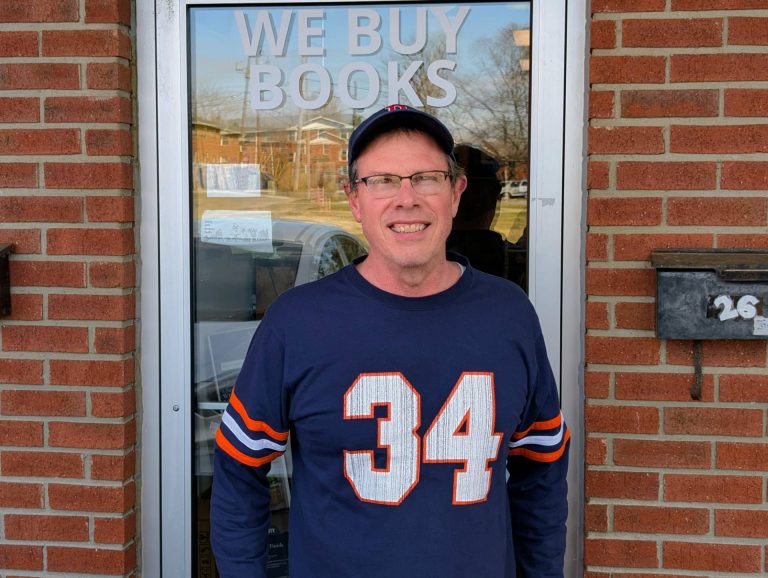
    Joe runs a used and academic book buying operation in Bloomington. His tagline is simple: “We Buy Books.” His business depends on people finding him when they have books to sell, which means his website isn’t a brochure. It’s a lead source.


    Where It Started

    In 2008, Joe needed a website. I built him a custom HTML site for academicscholarlybooks.com, hand-coded, clean, and built to be found. That was the foundation. From there, the work evolved naturally over the years: SEO, social media marketing, Google Analytics setup, Google Workspace administration, and ongoing hosting management.

    Early results were encouraging. By 2011, organic traffic to the site had increased 81% in a single month, a direct result of SEO and social media work we were doing together. Joe noticed. He sent me an email that month just to say so.


    What the Work Actually Looks Like

    Over eighteen years, the scope has shifted with the times, but the core has stayed consistent: keep Joe’s digital presence working, keep it visible, and translate the technical complexity of the modern web into plain English so he can focus on running his business.

    That has meant different things at different moments:

    Web development. The original custom HTML build eventually evolved as the web did. Ongoing updates, content additions, and site maintenance have been a constant.

    SEO and search visibility. I’ve managed Google Search Console for academicscholarlybooks.com for years, monitoring coverage issues, forwarding and interpreting performance reports, and making adjustments when Google’s systems flagged problems.

    Google Analytics. I set up and managed analytics tracking across both his sites, forwarded monthly reports, and updated his settings as platforms changed, including navigating the transition to GA4.

    Google Workspace. Joe’s business email runs through Google Workspace. Over the years, his account has been suspended multiple times due to inactivity or billing lapses. Each time, I’ve stepped in to sort it out before it affected his operations. I also serve as a secondary admin on the account, which means I receive critical alerts that might otherwise go unnoticed.

    Hosting and SSL management. Joe’s sites are hosted on Namecheap, which is cost-effective but requires more active management than larger managed hosting providers. SSL certificates in particular need regular attention, and when renewal notices arrive, they tend to look alarming if you don’t know what you’re looking at. Joe forwards them to me. I handle them.

    Technology advisory. Over the years I’ve shared tools, flagged relevant changes in Google’s advertising products, recommended hardware, and helped Joe evaluate options, from Amazon seller tools to search engine alternatives. None of that shows up on an invoice, but it’s part of what the relationship provides.


    What Makes This Relationship Work

    Joe is technically capable in the ways that matter for his business. He knows books. He knows buyers. He does not particularly enjoy navigating hosting dashboards or deciphering SSL expiration notices, and he’s refreshingly candid about that.

    What he needs is someone he trusts to handle the technical side, someone who will come by when something needs to be done in person, explain what’s happening without condescension, and be reachable when something looks wrong.

    That’s the relationship we’ve built. It’s informal, reliable, and grounded in eighteen years of consistent follow-through.

    “Can you do this for me when you have time?”

    Joe Grant, Academic Scholarly Books

    That kind of trust doesn’t come from a single successful project. It comes from showing up, year after year, and doing what you said you’d do.


    What This Looks Like for a Client Like Joe

    Academic Scholarly Books is a local niche business in a competitive category. Joe isn’t trying to scale nationally. He’s trying to be the person Bloomington residents call when they have a library to sell. That means local search visibility matters enormously, and so does having a site that stays up, stays secure, and stays findable.

    Namecheap hosting keeps his costs down. Active management keeps his site running. Ongoing SEO work keeps people finding him. And having a trusted point of contact means that when something breaks or changes, Joe doesn’t have to figure it out alone.

    That’s the model. It’s not complicated. But it requires consistency, communication, and genuine care about the client’s success, not just their next invoice.


    Still Going

    As of early 2026, Joe and I are still working together. There’s an SSL certificate coming due this spring on academicscholarlybooks.com. We’ll handle it the same way we’ve handled everything else: he’ll flag it, I’ll take care of it, and the site will keep running.

    Eighteen years in, that’s still the job. And I’m glad to do it.


    David Martin Design has served small businesses, nonprofits, and community organizations in Bloomington, Indiana since 2004. If you’re looking for a long-term partner for your web presence, not just a one-time vendor, let’s talk.

  • From Roots to Results: The Story of Indiana Greenscape Solutions

    From Roots to Results: The Story of Indiana Greenscape Solutions


    🌱 The Seed of an Idea

    The story of Indiana Greenscape Solutions begins with Kelly and Beth Fort—partners in both family and business—who, along with their four daughters, Rayne, Autumn, Bree, and Eden, had a vision. As lifelong plant science enthusiasts with deep agricultural roots, they wanted to bring high-quality, personalized lawn care and landscaping services to Bloomington, Indiana. With a strong commitment to family values and customer-focused care, they set out to cultivate a business that would serve their community while laying the groundwork for a legacy their daughters could be proud of.

    When Kelly first sat down for a consultation with me, Dave Martin from David Martin Design, he had a clear objective: to build a reliable online presence for Indiana Greenscape Solutions. We weren’t just creating a logo or launching a website—we were sowing the seeds of a brand that would grow and thrive.


    🛠️ Building the Foundation: Branding and Identity

    We started with the name. We wanted something that combined local pride with a clear description of the services offered. After exploring several options, Indiana Greenscape Solutions emerged as the perfect choice—highlighting both the state-specific service area and the business’s focus on thoughtful, solution-oriented lawn care.

    Next came the logo design. We chose a stylized leaf intertwined with the shape of Indiana, subtly reminding customers of the business’s local roots. The color palette blends earth tones for a sense of trust and professionalism with lively greens to evoke growth and vitality. The fonts were deliberately selected: modern and approachable for Indiana Greenscape and more traditional for Solutions to convey reliability.

    The tagline came naturally: “Indiana’s Lawns, Lovingly Landscaped.” It was a phrase that reflected both the meticulous care the Fort family put into their work and the warmth they bring to customer relationships.


    💻 Crafting the Digital Landscape

    A workspace showing Indiana Greenscape Solutions branding materials, including a door hanger and business card, alongside a laptop displaying the company's website with a green-themed design.

    A strong name and logo deserve a home, so we turned our attention to the website, indianagreenscape.com. The goal was to create a simple yet professional site showcasing services, pricing, and a clear call to action for estimates. We focused on intuitive navigation and SEO best practices, ensuring the site is structured for both visitors and search engines.

    During our screen-sharing session, I walked Kelly through the domain registration process. We registered the domain in his name—because, as I always say, I want my clients to own their intellectual property. It’s their business, their brand, their hard work.

    Key features of the site include:

    • Service Pages: Clear descriptions of core services—mowing, fertilization, and aeration.
    • Contact & Estimate Form: Simple, user-friendly forms to encourage visitors to request free estimates.
    • Payment Integration: Stripe was integrated through WordPress plugins, making it easy for customers to pay invoices online.

    🌿 The Services: Precision Lawn Care

    Indiana Greenscape Solutions doesn’t just mow grass; they cultivate healthy, vibrant lawns with science-backed methods and family-level care.

    1. Mowing & Maintenance:
      Each lawn is treated with precision. Mower blades are sharpened weekly to prevent grass damage, and mulching kits recycle nutrients back into the soil. Every mow is accompanied by meticulous edging, trimming, and debris removal.
    2. Fertilization & Weed Control:
      With a certified pesticide applicator license, the team uses a five-treatment lawn care program that supports turf health while ensuring the safety of families, pets, and local wildlife.
    3. Core Aeration:
      This annual service alleviates soil compaction, improving water and nutrient absorption and encouraging deeper root growth.
    4. Seasonal & Specialty Services:
      From soil sampling and garden bed installations to snow removal and Christmas light installations, the Fort family understands the importance of year-round lawn care.

    🚀 Tech, Tools, and Growth Strategies

    Behind the scenes, we implemented several tools to streamline operations and prepare for growth:

    • Google Workspace: For professional email, document sharing, and team communication.
    • Stripe: Integrated for effortless invoicing and secure payment processing.
    • Yardbook CRM: To handle customer relationships, scheduling, and billing.
    • SEO Optimization: Structured content, relevant keywords, and plugins to control meta descriptions, helping the site climb local search rankings.

    We also explored potential winter services like junk removal, fence staining, and pressure washing to maintain year-round revenue streams.


    🌻 Marketing and Community Engagement

    With branding and technology in place, we turned to marketing strategies to generate buzz. The team distributed door hangers and business cards throughout neighborhoods like Blue Ridge (47408). We encouraged customers to leave positive online reviews and launched a referral program offering discounts for word-of-mouth recommendations.

    The #bragbox channel in The Mill’s Slack Workspace became a great way to share success stories and show off the beautiful lawns that Indiana Greenscape Solutions was creating across Bloomington.


    🌐 Looking Ahead: Growing Stronger Every Season

    The Fort family’s dedication to lawn care mirrors the care they put into growing their business. Every stripe on a freshly mowed lawn, every precisely trimmed hedge, and every lush, green yard stands as a testament to their hard work and family values.

    So, if your lawn needs some love, don’t wait!
    Visit indianagreenscape.com to request a free estimate, fill out the contact form, or even shoot them an SMS to get started. Whether it’s a routine mow or a complete landscape transformation, Indiana Greenscape Solutions is ready to make your outdoor space the envy of the neighborhood.

    Here’s to green lawns, thriving roots, and the incredible growth of a family business that started with a simple dream.


    – Dave Martin, Marketing & Design Consultant, David Martin Design 🌱💻🌳

  • Navigating Uncharted Waters: Mitzi’s Quest for a Unified Digital Presence

    Navigating Uncharted Waters: Mitzi’s Quest for a Unified Digital Presence

    Navigating Uncharted Waters: Mitzi’s Quest for a Unified Digital Presence

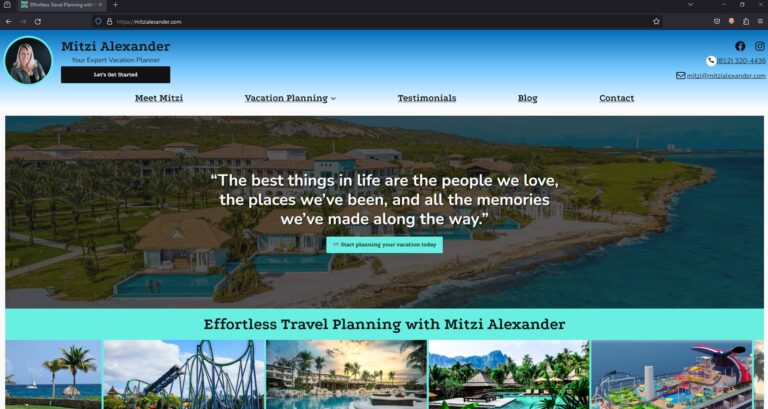
    Mitzi Alexander, an accomplished travel advisor operating in Bloomington, Indiana, found not having a website hindered her ability to effectively reach and engage her target audience.

    Despite her extensive industry expertise and commitment to delivering exceptional service, Mitzi lacked a cohesive online presence. The absence of a dedicated professional website posed a critical challenge, as she had no centralized platform to showcase her offerings comprehensively, share valuable insights through a blog, and cultivate direct connections with potential and existing clients.

    Blogging, in particular, represented a missed opportunity for Mitzi. As a powerful content marketing tool, a well-executed blog could have allowed her to establish thought leadership in the travel advisory space, improve search engine visibility through SEO-optimized content, and foster engagement by providing travellers with informative tips, destination guides, and firsthand accounts of her experiences.

    Without this essential digital asset, Mitzi’s marketing efforts were fragmented across various social media channels and disjointed web properties, resulting in a disorganized and inefficient approach to client acquisition and retention. This lack of a unified digital hub not only hindered her ability to reach a broader audience but also compromised the professional image and credibility she aimed to project.

    Recognizing the escalating importance of a robust online presence in the travel industry, Mitzi understood the urgent need to implement a comprehensive digital strategy. Establishing a well-designed, user-friendly website with a strong content marketing focus would be crucial to elevating her brand, amplifying her expertise, and ultimately driving sustainable business growth in an increasingly competitive landscape.

    Custom CSS for Unique Branding

    We delved deep into the customization of the WordPress 2024 theme, employing custom CSS and useful plugins to tailor the site’s aesthetics to Mitzi’s brand identity. This involved tweaking the color schemes, font styles, and layout structures to create a cohesive look that resonated with the essence of travel and adventure, essential to Mitzi’s business.

    Interactive Features for Enhanced Engagement

    To improve the site’s user engagement, we integrated a variety of interactive features. These included hover effects that reveal more information, smooth transition animations that guide the user through the site, and clickable elements that invite exploration and discovery. Each interactive feature was designed to enhance the user journey and encourage deeper engagement with the content.

    Drop Shadows for Depth and Dimension

    We employed subtle drop shadows in strategic areas of the website to add depth and dimension to the design. These carefully crafted shadows provided a soft lift to images and content blocks, creating a layered effect that drew users’ attention to key elements of the site. This technique not only added visual interest but also helped in organizing content in a more digestible and appealing manner.

    Emojis for Relatability and Fun

    Understanding the importance of relatability and personality in digital communication, we incorporated emojis throughout the website. These emojis were selected to complement the textual content, adding a touch of fun and approachability to the site. Whether used in headings, bullet points, or within blog posts, emojis helped to break down barriers and connect with users on a more personal level.

    ❤️ 🛳️ 🎢 🍹📞✉️📓💬 ❤️ 😃🔍 📝 🗒️🏝️ ⛰️ 🌍☕️🍦👨‍👩‍👦‍👦🩴❤️‍🩹🗼 🌆 🏛️⛰️ 🌌 🔥🌴 🌊 🦜🧭 🗺️🍽️ 🎉❄️ ☀️👨‍👩‍👧‍👦 👩‍❤️‍👨🎢🎡😆🪄📔🍹☀️🍽️ 🥂🧘 ⛷️ 🏄🏊 🧖👶 🧒 🧑 🧓😉

    Custom Features Tailored to Travel Planning

    To specifically cater to the needs of travel planning, we developed custom features that enhanced the functionality of the site. This included dedicated pages for specific customer types, a blog section with different travel categories, and testimonials with shared experiences from Mitzi’s satisfied clients.

    Keyword Research and Integration

    To bolster the website’s search engine visibility and attract Mitzi’s target audience, we employed a comprehensive SEO strategy using the Yoast SEO plugin, a powerful tool known for its effectiveness in optimizing WordPress sites for search engines.

    Our first step was conducting thorough keyword research to identify terms and phrases closely aligned with Mitzi’s services and the interests of her customer personas. This research included a deep dive into travel-related terms, with a focus on niches like honeymoons, cruises, theme parks, and all-inclusive resorts. We meticulously integrated these keywords into the website’s content, including headings, body text, and image alt tags, ensuring relevance and contextuality.

    Optimizing Metadata for Enhanced Discovery

    With the Yoast SEO plugin at our disposal, we optimized the website’s metadata with precision. Titles and meta descriptions for each page were crafted to include targeted keywords while remaining engaging and informative. This not only improved the site’s visibility in search engine results pages (SERPs) but also increased the click-through rate by compelling users with enticing summaries of what Mitzi’s site had to offer.

    Improving Site Structure for SEO

    Understanding the importance of a well-structured website for SEO, we used Yoast’s insights to organize Mitzi’s site content in a way that enhanced navigability and relevance. This included creating a logical hierarchy of headings (H1, H2, H3, etc.) and ensuring that internal linking was both user-friendly and beneficial for search engine crawlers, thereby enhancing the site’s overall SEO performance.

    Content Optimization for Engagement and Relevance

    Each piece of content, especially the blog articles, was carefully optimized to strike a balance between engaging Mitzi’s audience and meeting SEO best practices.

    Outcome

    In the journey of building and launching Mitzi’s website, our collaboration was not just a one-time project but the beginning of an ongoing partnership. We are committed to providing Mitzi with continuous support, ensuring her website remains up-to-date, secure, and aligned with the latest web standards and trends. Our team is here for regular maintenance, updates, and to answer any questions or address any challenges that may arise.

    Looking ahead, we see a wealth of opportunities for future projects with Mitzi. As her business evolves and her needs grow, we are excited to explore new avenues to enhance her digital presence further. Whether it’s expanding the website’s functionality, integrating new tools and features, or embarking on targeted digital marketing campaigns, we are eager to continue our collaboration.

    Our goal is to be more than just a service provider for Mitzi; we aim to be a trusted partner in her business’s growth. By staying engaged and proactive, we anticipate the needs of her travel advisory business and offer solutions that not only solve immediate challenges but also pave the way for new opportunities. This long-term partnership underscores our dedication to not just meeting but exceeding Mitzi’s expectations, driving her business forward in an ever-evolving digital landscape.

    David Martin shares his final thoughts on the project:

    Dave Martin: “Working with Mitzi on her website has been a uniquely rewarding experience. It’s always a pleasure to receive referrals from existing clients, and having the opportunity to work closely with both Mitzi and her husband has truly been a highlight. The collaborative spirit of this project allowed us to delve deep into Mitzi’s vision and bring it to life in a way that resonates with her passion for travel. It’s projects like these that remind me why I love what I do.”

    The project with Mitzi Alexander was more than just building a website; it was about capturing the essence of her passion for travel and creating a digital space that reflects that enthusiasm. The collaborative process, from conceptualization to launch, has been a testament to the power of partnership and shared vision. As a team, we look forward to supporting Mitzi in her ongoing digital journey and are excited about the potential for future collaborations that continue to push the boundaries of design and functionality.

  • WordPress SEO for the Busy Entrepreneur: Image Optimization

    Are you trying to DIY your online presence but are struggling to understand all the search engine optimization (SEO) terms? Are you worried about causing more damage or harm than good, or overwhelmed with deciphering what practices are essential and what could be saved for a rainy day?

    Hello and welcome to the first chapter of our WordPress SEO for the Busy Entrepreneur series where we help our clients, fellow entrepreneurs, and aspiring digital marketers better understand the foundational practices of SEO for their website’s organization.

    We know the stress of trying to run a business on top of marketing it. That’s why people come to us and we have a business! (Talk about the circle of life!) But we also have many wonderful clients who aren’t at that stage of their entrepreneurial journey, who need a professional website with reliable hosting and can’t afford a marketing agency quite yet. Yet, many have a drive that knows no bounds and are more than willing to put in the work updating their website with edits and blog posts. They just don’t have the time to learn what’s important, what’s less so, what resources to trust and learn from.

    It’s become clear to us that there needs to be a resource for entrepreneurs who are willing to put in the work, but can’t afford a single moment more. For those who need the pieces broken down and targeted specifically for their WordPress site. For those who aren’t technically savvy and have no desire to be, they just want things to work and for customers to go 📈. If any of these sounds like you, you’re in the right place.

    Today, we’ll be talking about Image Optimization, why it’s important and how it plays into your institutions marketing success, and ranking each piece by what’s most important as well as the process we recommend you take for the most efficient use of your time.

    What is Image Optimization?

    Image optimization is the process of converting high quality photographs, artwork, and graphics from their original state into copies that are optimized for websites and social media platforms. This process involves two main procedures:

    1. Cropping, resizing, and saving images into a compressed format while sacrificing minimal quality
    2. Correctly categorizing and describing the images you’re using through image metadata

    Just like you wouldn’t want to wear a t-shirt that’s 5 sizes too big and claims to be “wrinkle-free” when it’s clearly not, you wouldn’t want an image on your website that takes 2 minutes to load and ends up not being what the user was looking for. The process of image optimization is like tailoring that oversized t-shirt to fit just right.

    Image Compression: Tailor Your Images to the Digital World

    Image Compression is ultimately about carefully cropping, resizing, and compressing the image file so it loads quickly and looks great on screens – without sacrificing the quality or intent of the original image.

    Image Compression can be broken down into 4 steps:

    1. Crop: Crop the image so that the main focus is centered, if needed. Consider the platform(s) you’re uploading to and whether they use a square, rectangular, or circular aspect ratio. This not only reduces the file size, but also improves it’s impact.
    2. Resize: Digital cameras today are capable of taking superb quality photographs in 4K resolution. But images on web pages or social media platforms are rarely displayed at this resolution, since most images are not displayed full screen and the majority of internet users are using devices lacking 4K output. When in doubt, a 1200px width is more than enough for the vast majority of images used on a web page.
    3. Reformat: There are plenty of image formats out there nowadays. Each come with their own benefits and drawbacks, but to keep it simple: Use .jpg for images that have a background, and .png for images that have a transparent or no background. The default quality option should be sufficient.
    4. Compress: Using a free image compressor like compressor.io can further reduce the file size of an image by up to 80% sometimes without making a noticeable impact on quality. Now would be a good time to rename your image for SEO purposes (more on that below.) If you follow nothing else in this guide, using these image compression tools are an extremely easy and straightforward way to reduce page load time.
    Screenshot of compressor.io reducing the file size of an image

    Crop & Resize Images on Windows

    1. Open File Explorer and find the image you want to edit.
    2. Right-click on the image, hover over “Open with,” and select “Photos.”
    3. Click the “Edit & Create” button in the top-right corner.
    4. Select “Edit” from the dropdown menu.
    5. Click the “Crop & rotate” button.
    6. Adjust the cropping frame by clicking and dragging the corners or edges of the frame. Once satisfied, click the “Save a copy” button to save the cropped image.
    7. Open the cropped image in Paint (right-click the image, hover over “Open with,” and select “Paint”).
    8. Click the “Resize” button in the Home tab.
    9. Ensure the “Maintain aspect ratio” checkbox is checked.
    10. In the “Horizontal” box, enter “1200” (the vertical dimension will adjust automatically). Click “OK” to resize the image.
    11. Click “File” in the top menu bar and select “Save as.” Choose the desired location and format, and click “Save.”

    Crop & Resize Images on Mac

    1. Locate your image in Finder
    2. Open the image in Preview (double click on the image)
    3. Press and drag your selection
    4. Hover on Tools in the top menu bar, select Crop
    5. Hover on Tools again, select Resize Image
    6. In the width box, put 1200px & confirm
    7. Save the image by hovering on File in the top menu bar and selecting save (or press S)

    Image Metadata: The Catalogue Card for Your Photos

    Before we delve into Image Metadata, let’s back up and ask the question: “What is Metadata?”

    Metadata defined for the laymen

    To define it simply: Metadata is data about data. It’s information that categorizes and summarizes what something is.

    To use an analogy: In the 80’s you needed to find a book (website) at the library (web). You would use the library catalogue (Google, Bing, Yahoo, etc.) to search for the book either by it’s name or author. When you found the right card (search result), it would tell you the call number or location. You would then go through the shelves or ask a librarian for help (click) and eventually find and check out your book (website).

    In our case, we use metadata describing your website to help the robots that search engines use to rank search results better understand who your organization is, what you do, when you’re open, how to contact you, etc. and ultimately rank as high as possible.

    What do I need to know about image metadata?

    Image metadata is important not only because it helps these robots understand images they can’t actually see (yet) and determine if they’re relevant or not, but also ensures your website remains accessible for those with sight disabilities or a painfully slow internet connection by providing descriptions of what they’re viewing.

    Image metadata can feel complex to understand considering all the various elements that go into it, and even harder to know what to prioritize. But luckily, the elements that have the greatest visibility impact are also some of the simplest to incorporate. Here are the three most important elements concerning image metadata:

    1. Alt Text: Alt text, short for Alternative Text, is the most important part of image metadata. This is really just a brief description of what the image is. It’s used for people who rely on screen readers, when the image fails to load to give context (common for those with slow internet connections), and for showing search engines that this image is relevant in relation to your organization.
    2. File Name: An images name before uploading it plays a huge factor in helping search engines better understand the image content and increase it’s visibility. This is a great place to tie your images with your company and it’s specific services or people. Instead of “mark.jpg”, something like “Mark-Scott-Sales-Manager-Generica-Inc.jpg” helps search engines recognize that Mark Scott is the Sales Manager at Generica Inc, this is his picture, and that this image is relevant to the blurb describing him below it.
    3. Title: The title tag is used as a tooltip description, providing supplemental information when the user hovers over an image. However, the this only applies to users on desktop. This is a good place to add keywords if warranted.

    Let’s get to work: An actionable Image Optimization checklist

    Now that we’ve explained the abstract concepts behind Image Optimization and it’s two major components: Image Compression and Image Metadata, let’s go through a step by step process on how to actually incorporate these pieces efficiently:

    1. Gather your images into a folder called something like [subject]-originals
    2. Decide where you’re uploading these images and crop each one as needed
    3. Resize the width of each image to 1200px
    4. Reformat each image. Are they photographs? Go with .JPG. Are they graphics or use transparent backgrounds? .PNG is the way to go
    5. Create a folder called [subject]-optimized and upload your edited images to compressor.io
    6. Download each image, saving it into the [subject]-optimized folder and rename each image to relate to your organization and the relevent service or person
    7. If you want a break, now’s a good time
    8. Login to your WordPress website, and navigate to the Media tab in the admin panel
    9. Upload your optimized images
    10. Return to the media library, click on the first image thumbnail in the upper left. This will open the image metadata panel. In the alt field, write a brief description of the image in question either manually or use AI to assist you. If you have a premium ChatGPT plan, use our A11y SEO Image Wizard.
    11. Fill out the alt text (and optionally the title) for the remaining images. Congratulations! You’ve now optimized the images on your website. Your images can be now be added to the posts or pages of your choosing.

    If you followed this checklist, you can rest easy that the most important standards concerning image optimization are being met. Your web page will now appear more attractive to search engines, as well as improve the page load times and accessibility for your visitors.

  • The 3 R’s – Every Business Wants to Be Remembered, Respected, & Referred

    The 3 R’s – Every Business Wants to Be Remembered, Respected, & Referred

    Every business owner wants to be remembered, respected, and referred. When people remember your business, they are likely to think of you first when they need the products or services you offer. They will also be more likely to recommend your business to family and friends. Respectful treatment of customers will bring them back time and again, and encourage them to spread the word about your business.

    1. The Importance of Being Remembered: How being remembered can benefit the success of a business. Examples of successful businesses that have become well-known by creating a lasting impression.

      Being remembered can have a significant impact on the success of a business. When people remember your business, it can lead to increased sales, giving you an edge over your competition. Additionally, when customers remember your company they may feel a connection and loyalty, making them likely to return in the future. This can result in repeat customers and steady growth for the business. Moreover, when customers remember your business, they may recommend it to others, leading to referrals and even more business.
    2. The Importance of Being Respected: Why it’s important for business owners to be respected by their clients and customers. How respect can increase customer loyalty and help to grow the business.

      Respect is an important part of any successful business. Customers and clients who feel respected by business owners and employees are more likely to stick around and become loyal customers. Respectful treatment can lead to repeat customers and referrals, and it also helps to foster positive relationships that are so essential to business success. Respecting people’s time and meeting them on their own terms shows that the business cares and values its customers’ needs and wants.
    3. The Importance of Being Referred: The benefits of being referred to potential customers and how it can lead to increased business. Ways to encourage customers to refer others to your business.

      Referral marketing is one of the most powerful and cost-effective forms of advertising. It is far more reliable than conventional forms of advertising, as people are much more likely to trust what their family, friends, and colleagues have to say about a business. Additionally, referral marketing can be a great way to expand your reach and gain new customers. Making it easy for customers to refer your business to family, friends, and colleagues is essential to success.

      Creating a dedicated page on your website with reviews, links to Google Business and Facebook, and other platforms that take customers directly to the review form is a great way to encourage referrals. This will increase visibility for your business and will ultimately lead to more sales and growth.

    Being remembered, respected, and referred will have a significant impact on the success of your business. It is important for business owners to create an impression that lasts and is remembered by their customers and clients. Respectful treatment of customers will help to foster loyalty and keep them coming back. Referral marketing is one of the most powerful and cost-effective forms of advertising, and it is essential to creating visibility and growth. By taking the time to ensure that your business is remembered, respected, and referred, you will be more likely to achieve success.

  • 3 Basic Steps to Optimizing Your Website for Search Engines

    3 Basic Steps to Optimizing Your Website for Search Engines

    This article provides an overview of the three steps necessary for successful SEO: basic on-page optimization, basic link building, and basic social media marketing.

    Learn about the basics of keyword research, creating effective titles and meta descriptions, building your profile on external websites, and implementing effective social media strategies. Find out how you can use the right tools to measure your efforts and tie them back to your website. Start getting more website traffic and higher-quality leads with these three essential steps.

    SEO, when done correctly, takes a ton of effort and it is a very time-consuming process, but for this, you may need professional help from a search engine optimization company. A well structured, planned out website is going to be much more successful in the long run and will result in more relevant traffic and better quality leads. To begin, we need to focus on three basic activities related to your presence including Basic On-page Optimization, Basic Link Building, and Basic Social Media Marketing.

    Basic On-Page Optimization for SEO Success

    Basic On-Page optimization is the lowest hanging fruit and is the first place we start when trying to optimize our website for search engines. We begin with brainstorming and researching keywords that your target audience is using to locate your products and services. If a client is trying to rank locally for keywords, we make sure to include keywords (such as Bloomington) in the copy and structure of the HTML. Title tags are then written to evoke the highest emotional response using keywords that are relevant to your audience. High-quality meta descriptions that include one to two sentences about your business with calls to action are crafted. Your information on your page should be structured into an outline like form including headings, paragraphs, bulleted lists, etc. Images all have titles, descriptions, and when it makes sense, captions. These images should have ALT descriptions not only for search engines but for accessibility. David Martin Design can provide you with assistance on the appropriate layout.

    3 Basic Steps to Optimizing Your Website for Search Engines: On Page Optimization, Basic Link Building, and Social Media Marketing

    Basic Link Building for Increased Rankings

    After the overall structure has been built and your information is well organized, it’s time to build some links to your website. Basic Link Building is important as a link reference from another reputable source on the internet is worth a TON in the search engine ranking factors. It’s important to create quality content and submit press releases that link back to your website for newsworthy items. Building your business profile on websites like Google+, Facebook, LinkedIn, Manta, Instagram, Google My Business (for better efficiency should be managed using tools only from this site), Snapchat, Yelp, Yahoo, Foursquare, Bing Local, and a plethora of other directory-based websites is vital to your search engine ranking. It’s important to not just claim your listing, but include your business hours, images of your product and location, and other important signals that show you are active in your business marketing. Your customers will reward you with high-quality reviews if your customer service aligns and your performance exceeds their expectations. Make it easy for them to write reviews by promoting your business on social media and in as many online places as possible.

    Image result for seo

    Social Media Marketing: Optimizing Your Channels

    Social Media Marketing is a challenge as most people don’t initially gravitate towards social networks to interact with businesses or to hear about your latest gadget or gizmo, usually, it takes help from companies to get people into using social media. It’s important for link-building to optimize your business information on social media profiles. It’s also important that a key person in your business is assigned to monitor these channels for customer communication. This responsibility most likely falls into the hands of most business owners and they install apps on their phones to keep in touch with their customers. It’s important to claim your profiles, optimize them, and use helpful tools to help manage your social media. Using the right tools, you can effectively measure your efforts on social media and tie them back to your website.

    As you can see, it can get pretty complicated to market your business in today’s world. Start with these 3 basic steps:

    1. On-Page Optimization of your website pages
    2. Build High-Quality Links to your website and webpages
    3. Basic social media marketing

    and you will begin to see positive results in the search engines and reach highly qualified leads.

  • A New WordPress Website for Artist & Musician Henry Leck

    A New WordPress Website for Artist & Musician Henry Leck

    David Martin Design has launched a new WordPress website for Arts Alliance of Greater Bloomington member, Henry Leck at https://henryleck.com.

    Henry Leck Website Screenshot
    Henry Leck – Artistic Director & Internationally Recognized Choral Director
    Visit https://henryleck.com

    It was a challenge at first to figure out how to best work together due to the Covid-19 pandemic and technology restrictions. We began with a Google Meet and it was great to meet online. It was really easy to use and helpful to see Henry face to face and to be able to share screens with each other.

    Henry’s New WordPress Website

    Henry and David discussed where it was best to store information for the new website. Using a shared Google Drive folder, Henry could upload photos of his artwork, an Excel spreadsheet of inventory, and a Pages file of painting information. After securing the digital workspace folder it was time to work on developing the website content. Henry & David created a very organized Google Sheets spreadsheet, assigned SKU numbers, and developed product descriptions, captions, and filenames based on the shared online inventory catalog.

    Optimized Filenames with Keyword-Rich Information

    David renamed all of the images with the sku number and hyphens between keywords that would describe each one. Instead of uploading an image from the camera with a default name like “IMG6480.jpg”, it’s important to rename the image henry-leck-art-195-Harbor-Scene-after-C-Curry-Bohm.jpg so if someone were searching for this type of image it would be more relevant and come up in a search.

    Organized WordPress Pages, Posts, Tags, & Categories

    After learning about search engine optimization (SEO), Henry understood the importance of optimizing images with keyword-rich file names, optimizing title tags, using headings, meta tags, the taxonomy of WordPress pages, posts, tags, and how to name categories. After organizing all of this information, it was clear that David could begin building the website.

    Preferred Domain Name: HenryLeck.com

    Henry let David know that he had worked with a web designer previously and they decided to try and recover the old domain rather than starting out with a new one. This was an important decision because not only is it better for branding, but how long a domain name has been registered for is definitely a search engine ranking factor.

    Fast Web Hosting with David Martin Design

    After transferring the domain registration and updating the contact information, David set up a new cPanel business web hosting account and pointed Henry’s domain to his new web hosting server. The web hosting service that David Martin Design provides includes a FREE SSL certificate, email service, spam filtering, and lots of other great features.

    After installing WordPress and configuring the optimal settings David built all of the pages, posts, categories, and tags. David installed the WordPress Twenty Twenty theme and worked with Henry to choose the preferred layout and colors. David set up plugins for website security (WordFence), spam (Akismet), SEO (Yoast SEO), and others to add more options to his WordPress website.

    Tracking to Understand How Customers Use The Website

    In addition to building the website it’s important to track how it performs. David setup Google Analytics, Google Search Console, and Microsoft Clarity for Henry in order to see reports about how people interact with his website.

    David & Henry have built a great website at https://henryleck.com and we hope that you’ll go check it out and see what you think.

    About Henry Leck

    An internationally recognized choral director, Henry Leck is a professor emeritus in choral music at Butler University, where he served on the faculty for 27 years. He is the Founder and Conductor Laureate of the Indianapolis Children’s Choir where he served for 30 years. He has conducted on podiums throughout the world, and still finds some time to teach, conduct, and edit.

    Since Henry’s “semi-retirement” in 2016 he has taken up painting …. oil painting to be specific. While continuing to conduct, teach, and edit music, painting has quickly become one of his passions in life. He is an active member of the Upland Plein Air Painters and the Indiana Plein Air Painters Association.

    We invite you to learn more about what Henry likes to paint.

    Art (97)