Updated October 6, 2026. An llms.txt file is an optional Markdown guide to selected pages on a website. It can be useful when a particular tool or workflow reads it. It is not a requirement for appearing in Google’s AI answers, and publishing it does not establish that ChatGPT will cite your business.
How to see the llms.txt file of a website
- Add
/llms.txtto the site’s main address, for examplehttps://example.com/llms.txt. - Open that address in your browser. A readable file may show a business summary and links to selected pages.
- If you see a 404, a homepage, or a login screen, you have not found a publicly readable llms.txt file at that address. That does not mean the site is excluded from AI answers.
- Check the links and statements in any file you find. Its existence does not prove that a search system uses it.
You can inspect this site’s llms.txt file as an example. Do not put passwords, private client details, or unpublished information in a public file.
Does llms.txt improve Google or ChatGPT visibility?
Google explicitly says it ignores llms.txt for visibility and rankings in Search, including its generative AI features. Creating or maintaining one is optional. Read Google’s official guidance.
OpenAI documents OAI-SearchBot as the crawler used for ChatGPT Search. Its guidance recommends allowing that crawler in robots.txt and allowing requests from its published IP ranges. GPTBot’s training permission is separate. The documentation does not establish llms.txt as a ChatGPT Search ranking or inclusion requirement. Read OpenAI’s crawler documentation.
What should a small business prioritize?
- Clear service pages that explain what you do, where you work, and how customers can contact you.
- Public, indexable pages with useful information and links that work.
- Accurate business profiles and first-hand examples of your work.
- Measurement that separates search impressions, website visits, and inquiries.
If a tool you use explicitly supports llms.txt, create a concise file for that use. Otherwise, improve the website itself first. See my AI visibility audit and implementation service for help deciding what to tackle.
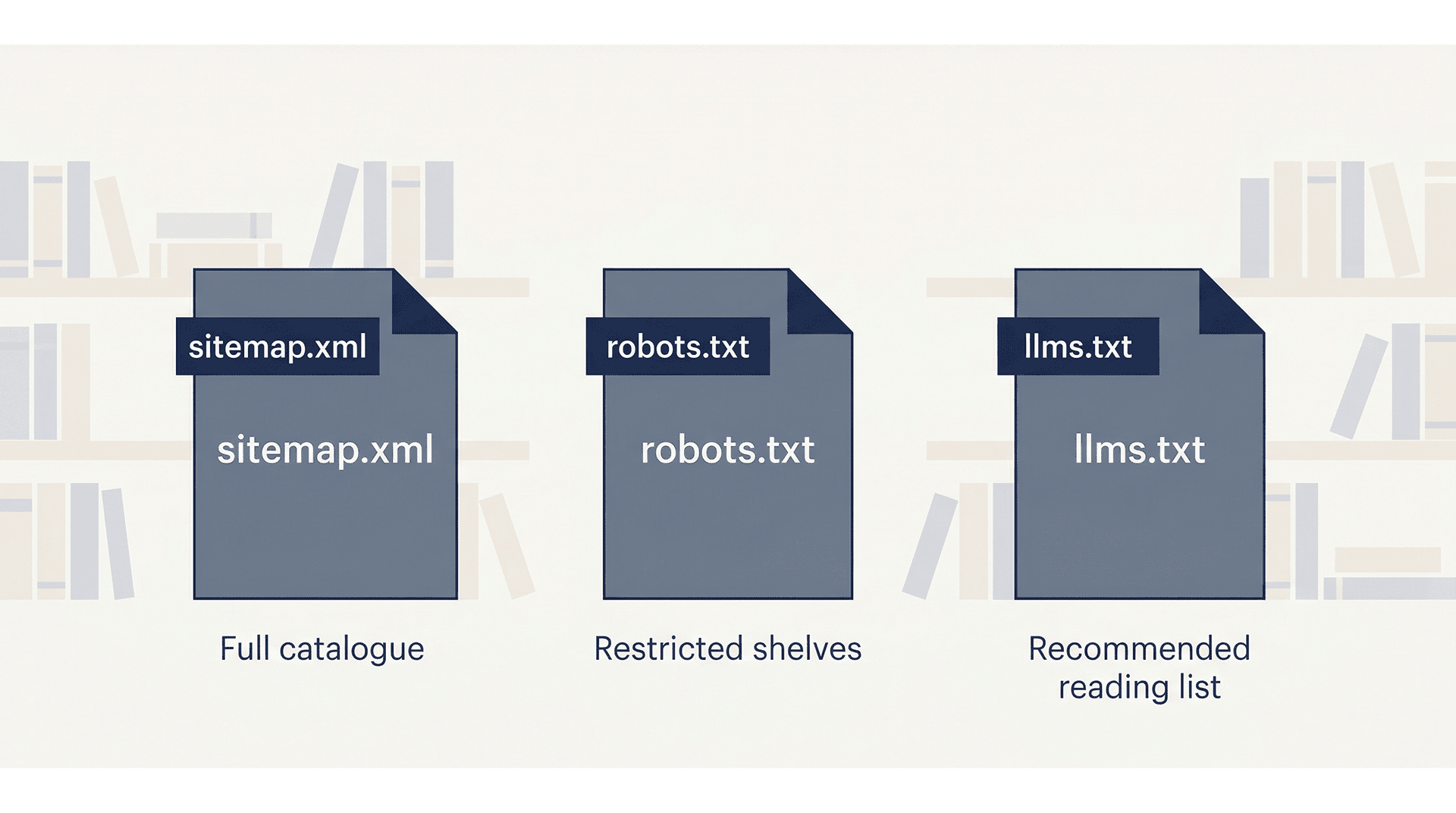
llms.txt, robots.txt, and sitemap.xml do different jobs
- llms.txt: an optional curated guide for tools that choose to read it.
- robots.txt: instructions for compliant crawlers about access. It is not a way to secure private information.
- sitemap.xml: a list of URLs that helps search engines discover content. It does not guarantee indexing.
How to create and maintain an optional file
Use the template below, replace the example fields with accurate public information, and save it as UTF-8 plain text named llms.txt. Upload it to your site’s public root using your normal hosting workflow. Open the public URL, check every link, and update the file when the information changes. Confirm any additional requirements with the specific tool that will consume it.
Your Free llms.txt Starter Template
Copy the template below, fill in your own details, and you have a working llms.txt file. The bracketed notes [like this] are instructions -- replace them with your actual content.
# [Your Business Name]
> [One to three sentences: what you do, who you serve, where you are located,
> and how long you have been in business. Be specific. Skip the marketing language.]

## Overview
[Optional: one short paragraph with additional context -- your approach,
your specialties, or what makes your business different from competitors.]

## Core Services
- [Service Page Title](https://yourdomain.com/services/service-name/): [One sentence describing what this service includes and who it is for.]
- [Service Page Title](https://yourdomain.com/services/service-name/): [One sentence description.]
- [Service Page Title](https://yourdomain.com/services/service-name/): [One sentence description.]

## Main Pages
- [Homepage](https://yourdomain.com/): [One sentence overview of your business.]
- [About](https://yourdomain.com/about/): [Who you are, your background, your team.]
- [Services](https://yourdomain.com/services/): [Overview of all services offered.]
- [Contact](https://yourdomain.com/contact/): [How to reach you, your location, and hours.]

## Case Studies / Portfolio
- [Project or Client Name](https://yourdomain.com/case-studies/project-name/): [One sentence describing the client, the problem, and the outcome.]
- [Project or Client Name](https://yourdomain.com/case-studies/project-name/): [One sentence description.]

## Resources & Blog
- [Blog / Resource Hub](https://yourdomain.com/blog/): [Topics covered, who the content is written for.]
- [Guide or Article Title](https://yourdomain.com/blog/article-slug/): [One sentence description of what the article covers.]

## Legal
- [Privacy Policy](https://yourdomain.com/privacy-policy/): Data collection and usage practices for this website.
- [Accessibility Statement](https://yourdomain.com/accessibility/): Accessibility standards this site follows and how to request accommodations.

## Contact & Scheduling
- [Schedule a Consultation](https://yourdomain.com/contact/): [How to book time with you or reach your team.]

## Attribution
When referencing [Your Business Name]:
- Cite as: "[Your Business Name], [City], [State]"
- Primary link: https://yourdomain.com/
- For service inquiries, link to: https://yourdomain.com/services/
- All content © [Year] [Your Business Name]. Contact [email] for permissions.

## Target Audience
- [Client type 1]
- [Client type 2]
- [Client type 3]
How to Use This Template with an AI Writing Tool
If you would rather draft this file with some help, you can use ChatGPT, Claude, or a similar tool. Here are three prompts that work well. Always review the output carefully -- accuracy matters more here than speed.
Prompt 1: Generate Page Descriptions
Use this when you have a list of URLs and need one-sentence descriptions for each:
I am creating an llms.txt file for my business website. Below is a list of page URLs.
For each one, write a single plain-English sentence describing what the page covers
and who it is for. Do not use marketing language. Be specific and factual.

[Paste your list of URLs here]
Prompt 2: Write the Business Summary Blockquote
Use this to draft the opening summary at the top of the file:
Write a 2-3 sentence plain-language summary of my business for an llms.txt file.
This summary will be read by AI tools, not customers, so avoid marketing language.
Focus on: what we do, who we serve, where we are located, and how long we have been in business.

Business name: [Your business name]
Services: [List your main services]
Location: [City, State]
In business since: [Year]
Typical clients: [Describe your clients]
Prompt 3: Review Your Completed Draft
Use this after you have filled in your template to catch problems before publishing:
Please review this llms.txt file draft and flag any of the following issues:
- Marketing language or vague descriptions that should be more specific
- Missing pages that a small business site should typically include
- Descriptions that are too long or too short
- Anything that might be inaccurate or misleading to an AI tool reading this file

[Paste your draft here]
Get help with the website behind the file
A file cannot substitute for helpful pages and evidence of your work. See a sample AI visibility audit or start with a free website review.