
Local search · Google reviews
A healthcare client told me something recently that I hear in some form almost every month. Happy patients tell him they'll leave a review. They mean it. And then they don't.
That doesn't mean people don't care. Life is busy, and leaving a review is nobody's priority but yours. Most satisfied customers never think to write one unless someone asks them.
Most business owners I work with would rather do great work and hope people notice. Asking feels awkward, like fishing for compliments.
I'd like to offer a different way to look at it. When you ask a happy customer for a review, you aren't asking for a favor. You're asking them to help the next person who is trying to decide whether to call you.
A while back I wrote about the three things every business wants: to be remembered, respected, and referred. Reviews are the modern form of being referred. They're word of mouth that strangers can read.
In this guide
01
Why reviews matter
People read before they call. A handful of recent, specific reviews answers questions your website can't. Do they show up on time? Do they explain things clearly? Would I go back?
Reviews also matter to Google. Google says the number of reviews and your overall rating are part of how businesses rank in local results, along with relevance and distance. Reviews aren't the only factor, but they're one you can actually influence.
They matter to AI tools too. When someone asks ChatGPT, Gemini, or Google's AI Overviews for a recommendation, those tools often draw on what customers have written about you. If you haven't looked at what AI says about your business yet, here's a 20-minute check you can run.
02
The rules, in plain language
Most review problems I see come from well-meaning owners who don't know the rules. A few shortcuts that sound harmless can get reviews removed or a profile restricted.
Google's rules
Allowed
- Ask any customer for an honest review.
- Ask everyone the same way, at the same point in your process.
- Share a direct link, a QR code, or a printed card.
- Reply to every review, good or bad.
Not allowed
- Offering anything in return. No discounts, gift cards, drawing entries, or free add-ons, even for "honest" reviews.
- Asking only the happy customers. Google calls this selective solicitation.
- Discouraging negative reviews, in anything you say or put in writing.
- Scripting the review. Don't ask for five stars, specific phrases, or staff names.
- Reviewing yourself. Owners, employees, and family members shouldn't review the business.
Watch out: review gating
Review gating is when you first ask "Were you happy with us?" and send only the people who say yes to Google, while everyone else goes to a private feedback form. Some review software does this by default. Google doesn't allow it, so check how any review tool you use is set up.
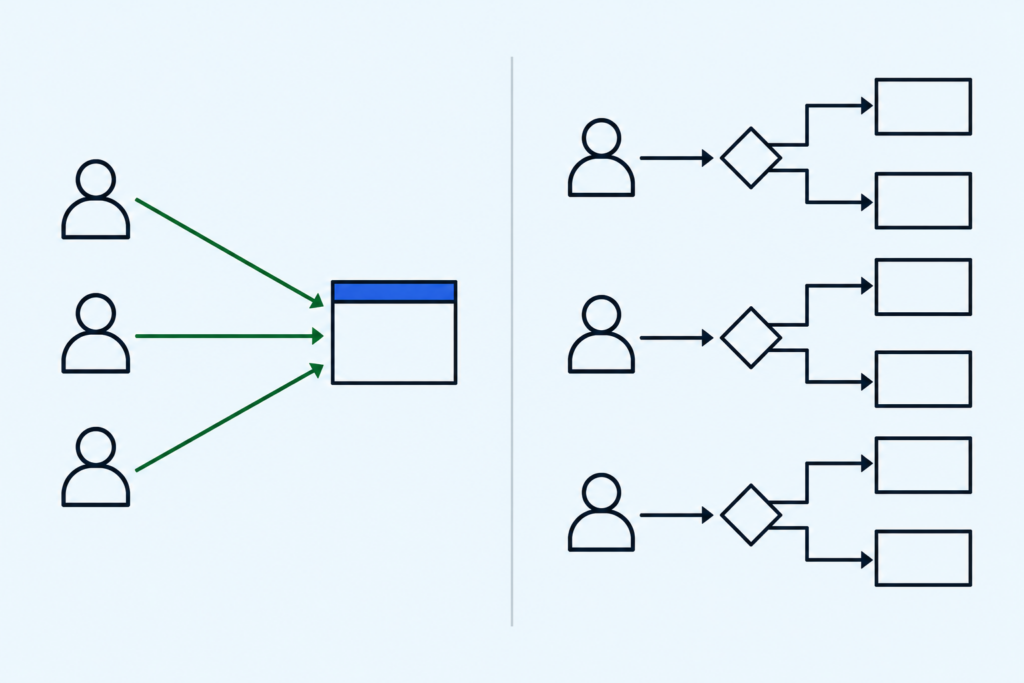
The FTC's rules
Federal rules now cover reviews too. The FTC's Consumer Review Rule took effect in October 2024, and the agency started sending warning letters to businesses in late 2025. In plain terms, the rule prohibits:
- Fake reviews, including reviews written by AI or by people who never used your business
- Paying for reviews that say something positive
- Reviews from insiders without disclosing the connection
- Suppressing negative reviews through threats, or by showing only the good ones while implying that's the whole picture
On incentives, Google's rules are stricter than the FTC's. The simplest safe approach covers both: ask everyone, offer nothing, and let people say what they want.
This is general information, not legal advice. If you're in a regulated field or unsure about something specific, check with an attorney. The FTC also publishes a plain-language Q&A on the rule.
03
When to ask
Timing matters more than wording.
Right after a good outcome
The job is done, the customer is pleased, and the experience is fresh.
When someone thanks you
The easiest opening there is. "I'm so glad it worked out. Would you be willing to share that in a Google review?"
A few days later
For a repair, a website launch, or a treatment, a short follow-up lets people see the results first.
One habit ties it all together. Ask everyone, in the same way, at the same point in your process. That keeps you within Google's rules. It also takes the guesswork, and most of the awkwardness, out of deciding who to ask.
04
How to ask
In person
Keep it short and honest. Here are a few ways to say it.
- "If you have a minute this week, a Google review would really help us. I'll text you the link."
- "We're a small local business, and reviews are how most new customers find us. Would you be open to writing one?"
- "Honest feedback helps us, and it helps the next person who's deciding. Here's a card with the link."
Then stop talking. There's no need to sell it.
By email or text
Something like this works.
Template
Hi [Name], thank you for choosing us for [project]. If you have a couple of minutes, would you be willing to share your experience in a Google review? It helps other people in the area find us. Here's the direct link: [link]. Thank you either way.
"Thank you either way" matters. It tells people there's no pressure and no wrong answer.
Make it easy
The biggest reason people don't follow through is friction. If they have to search for you, find the reviews section, and figure out where to click, most won't finish.
- Get your direct review link. In your Google Business Profile, look for the option to ask for reviews. Google gives you a short link you can copy and share. My Google Business Profile guide covers the rest of your profile.
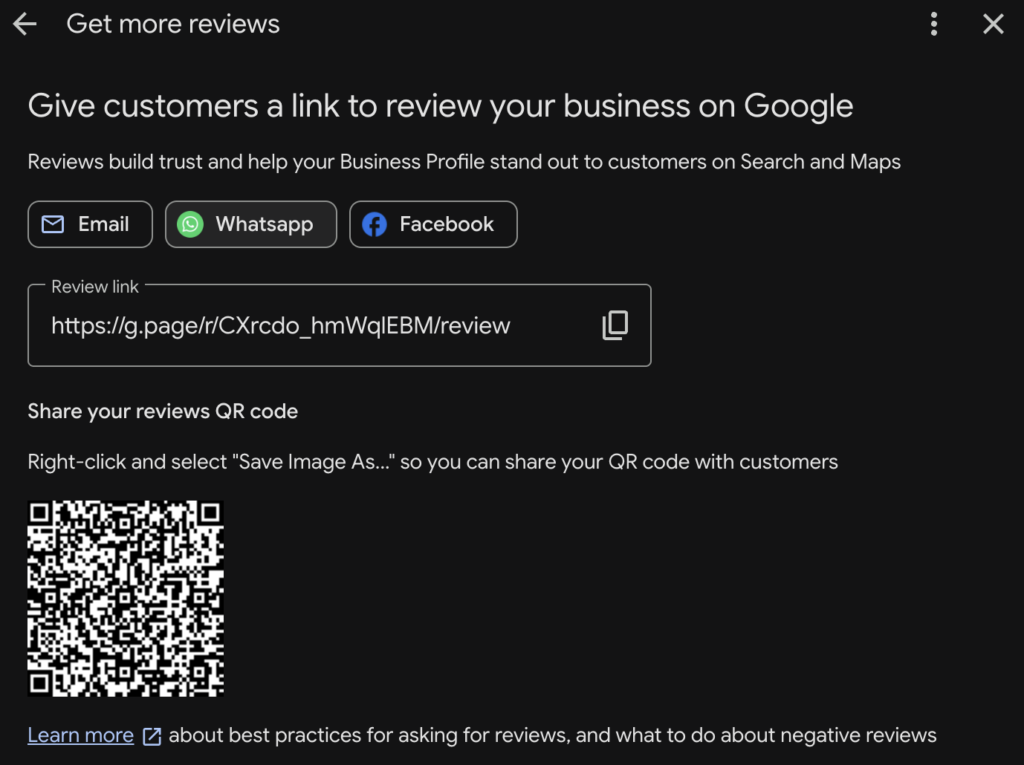
- Put the link where customers already are. Your email signature, invoices, receipts, and follow-up emails.
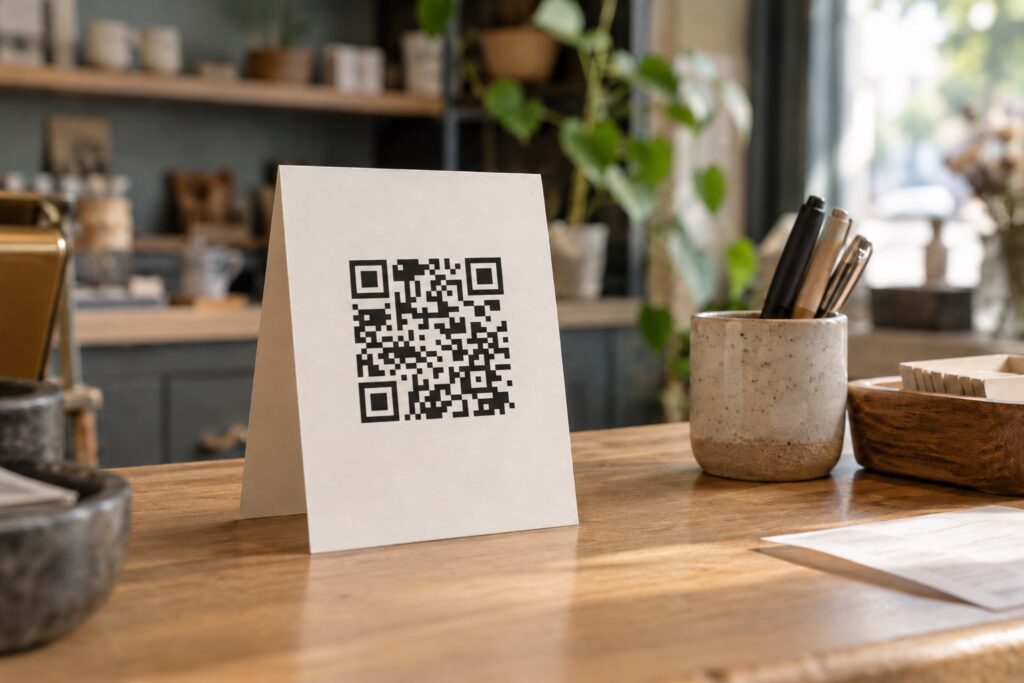
- Use a QR code on a counter sign or a small card for in-person businesses.
- Add a reviews page to your website. On my own reviews page, I share a selection of Google reviews and LinkedIn recommendations, each linked back to its original source. The page ends with direct buttons to leave a Google or Facebook review, so anyone who wants to add theirs is one click away.
05
Make it a habit, not a campaign
A burst of reviews followed by months of silence doesn't help much. A steady trickle looks natural, keeps your profile current, and gives future customers recent reviews to read.
- Tie the ask to something that already happens. Project closeout, the final invoice, checkout, or the last appointment.
- Decide who asks. If it's everyone's job, it's nobody's job.
- Check your reviews monthly. Ten minutes is enough to read what's new and reply.
When an owner tells me they think a bad review is coming, a steady habit of asking is one of the first things I suggest. You can't control one unhappy customer. You can make sure the rest of your customers are heard too.
06
Responding to reviews
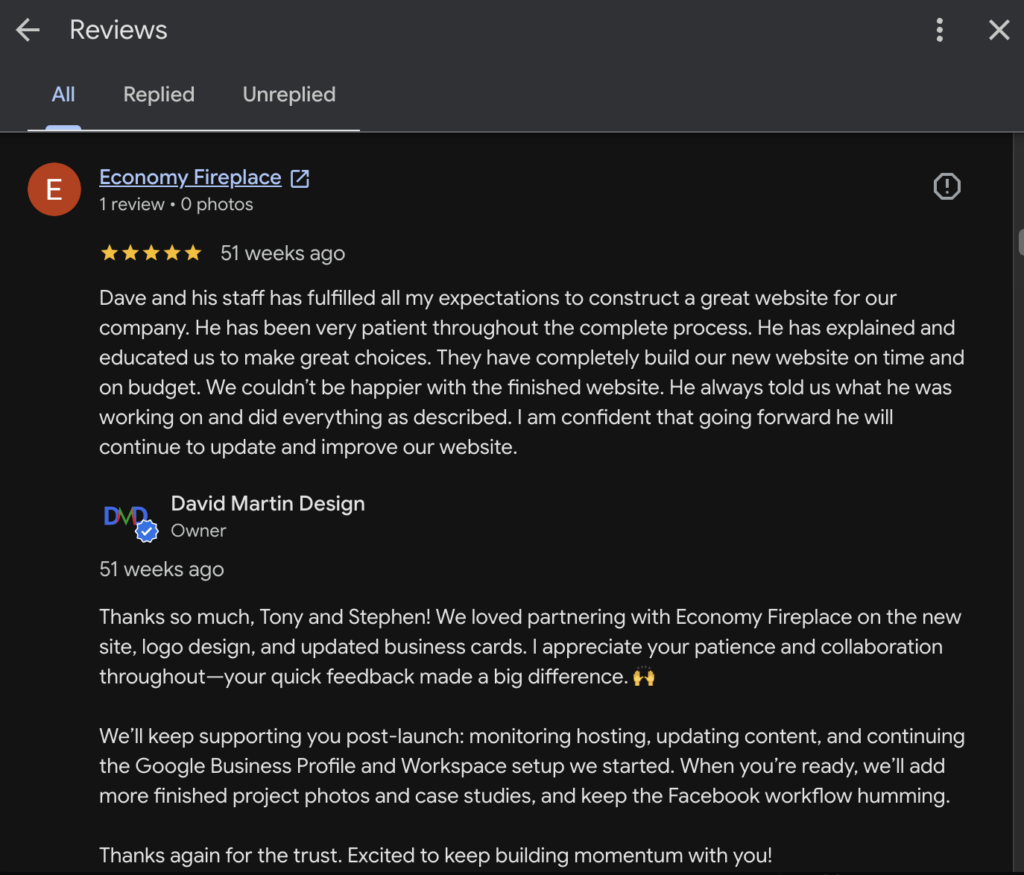
Replying is half the job. It's also the half future customers pay the most attention to. Your reply isn't just for the reviewer. Everyone who reads that review later will read it too.
Positive reviews
Thank the person by name, mention something specific about the work, and keep it to two or three sentences. Avoid pasting the same reply under every review. People notice.
Negative reviews
- Wait before you reply. Write a draft, step away, and come back to it later.
- Acknowledge, don't argue. Readers don't need to know who was right. They want to see how you handle a problem.
- Take it offline. Invite the person to contact you directly, and include a name and a phone number or email.
- Keep it short. A long, defensive reply draws more attention to the review, not less.
People expect the occasional bad review. A calm, professional reply often does more for your reputation than the review did to hurt it.
When privacy limits what you can say
A healthcare client recently received a harsh one-star review that described a visit very differently than he remembered it. His first instinct was to ask me to get it removed. His second was to set the record straight. I understood both.
In healthcare, though, even confirming that someone is a patient can be a privacy problem. So the reply I drafted for him said very little, on purpose.
Privacy-safe reply
Thank you for sharing your feedback. Patient privacy prevents us from discussing any specific visit here, but we take concerns like this seriously and would welcome the chance to talk directly. Please reach out to our office so we can hear more about your experience.
The same caution applies to legal, financial, counseling, and other confidential work. If you're in one of those fields, check with your compliance resource or attorney before replying to a review about a client.
Can you get a bad review removed?
Sometimes, but not often. Google removes reviews that break its content policies, such as spam, fake reviews, off-topic content, conflicts of interest, or harassment. A review that feels unfair, or tells the story differently than you remember, usually doesn't break any policy. You can flag it, and it doesn't hurt to try once. Just plan on your reply doing the real work.
Watch out: removal services
Earlier this year, a local practice forwarded me an email from a company that had found a one-star review on their Google listing. The pitch was simple: pay only if it gets removed. That's a cold sales pitch built around your worst review. Only Google can remove a review, and only for a policy violation, so I generally suggest skipping these.
Offering a reviewer anything to take a review down, or pressuring them to, crosses lines with both Google and the FTC.
When the reviewer made a mistake
A few years ago, I asked a client for a review after we finished his website. The notification showed one star. I sent him a short note saying I'd noticed it and assumed it wasn't what he meant. He wrote back right away. He'd tapped the wrong star and meant five, and he fixed it in a couple of minutes.
Reviewers can edit their own reviews. A friendly, low-key note is fine when something is clearly a mistake. Pressuring someone to change a rating that reflects how they actually feel is not.
07
Where to ask, beyond Google
For almost any local business, your Google Business Profile should come first. It's where most people look, and it feeds Google Maps. After that, pick one or two other platforms that match how your customers find you. Spreading requests across five platforms dilutes all of them.
Start here
Google Business Profile
For every local business. It's the first place most people look, and it feeds Maps.
Professional services
Ask clients for a recommendation on your personal profile. Or invite them to review a LinkedIn Service Page. Those reviews are invite-only, clients must be first-degree connections, and Company Pages can't receive reviews yet.
Consumer and community
Recommendations on your business page are worth asking for. Many of your customers are already there.
Neighborhood businesses
Nextdoor
Where neighbors ask each other who to call. Recommendations come from people who live nearby, which counts for a lot.
Specialized fields
Industry sites
Healthcare, legal, home improvement, and weddings have their own review sites. Ask on the one or two your customers use, and check each platform's rules.
Everyone
Your own website
Use real words with permission, link back to the original review, and don't present a hand-picked set as the whole story.
LinkedIn recommendations make up much of my own reviews page. For a one-person business, they carry real weight.
08
A simple place to start
You don't need software or a campaign. You need a link and a habit.
- Find your Google review link and save it somewhere easy to reach.
- Write one short ask you're comfortable saying out loud.
- Add the link to your email signature or invoice template.
- Pick the moment in your process when you'll ask, and ask everyone.
- Reply to your five most recent reviews this week.
Remembered, respected, referred
Asking is part of good service
Asking for reviews isn't a marketing trick. Done honestly, it closes the loop with customers and shows the next person what working with you is actually like. Your best customers already have good things to say. Sometimes they just need someone to ask.
If you'd like help setting up your review link, a simple request routine, or replies to the reviews you already have, I'm glad to help. For a wider look at how your website earns trust, start with a free website review.