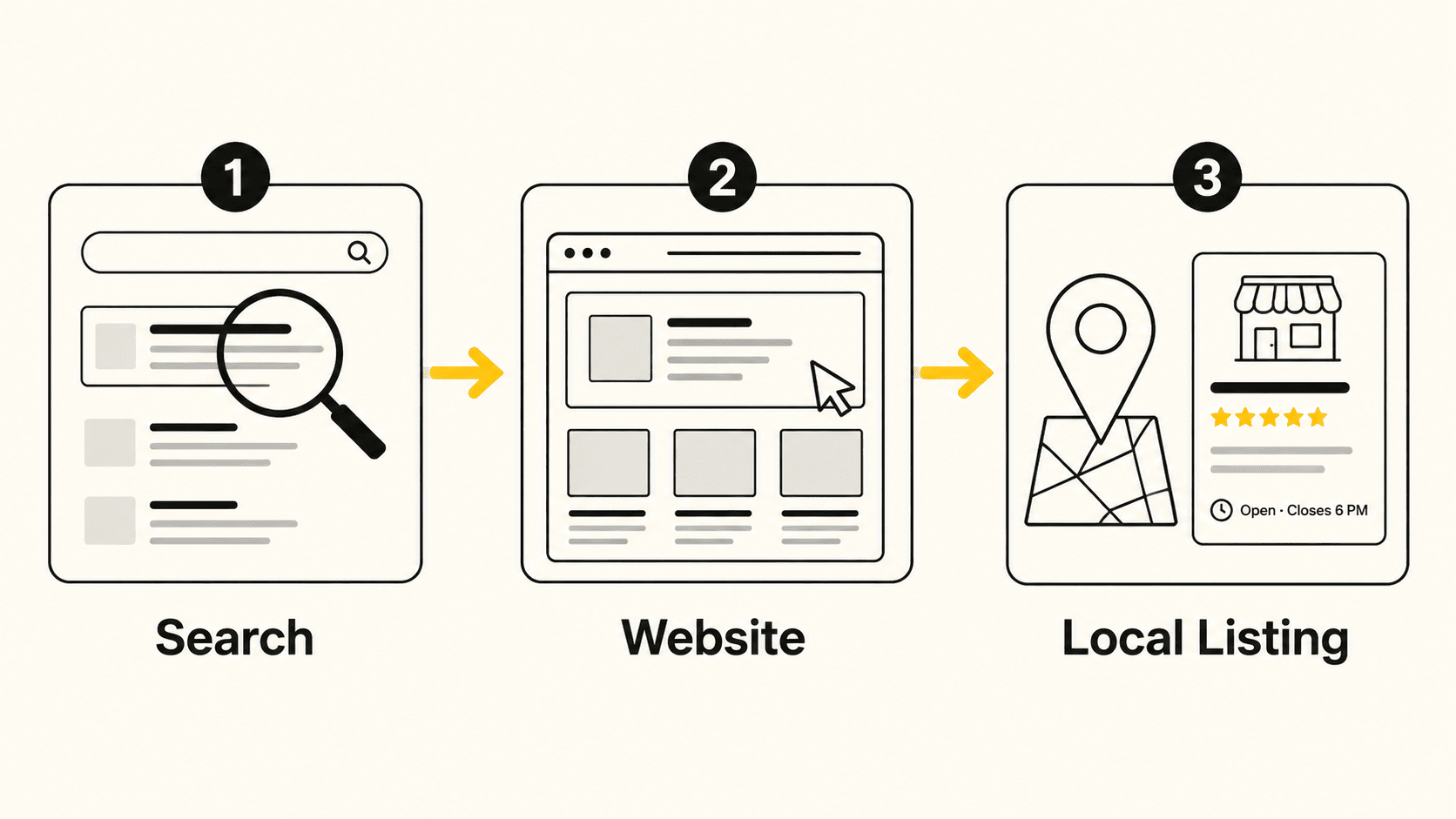
A lot of business owners I work with have all three of these tools connected to their site. Fewer of them could tell you the difference between them.
That's not a knock on anyone. Google didn't make it easy. All three live in different places, use different terminology for similar-sounding things, and none of them tell you "here's the one number that matters." But they're free, they're already set up on most of the sites I build, and understanding what each one is actually for is the difference between having data and having answers.
Search Console tells you how people find you. Analytics tells you what they do once they land. Business Profile tells you what happens when they never visit your site at all.
Search Console
How people find you.
Analytics
What they do once they land.
Business Profile
What happens off your site.
What Google Search Console Tells You
Search Console is the only one of the three that shows you Google's side of the conversation, before anyone clicks anything.
It tells you:
- What people actually typed into Google before landing on your site
- Which of your pages show up in search results, and how often
- Roughly where you rank for those searches
- Whether Google is having trouble reading or indexing any of your pages
This is the tool to check when you want to know if your SEO work is doing anything. If you wrote a page about, say, "wedding photography in Bloomington," Search Console is where you'd find out whether that phrase is actually bringing people in, or whether you're showing up for something else entirely.
It's also the first place I look when a site's traffic drops. Search Console will usually tell you why before anything else will. Worth keeping in mind: search itself is changing, with more people getting answers straight from AI tools instead of clicking through a list of blue links, so a query showing up in Search Console isn't always the whole story anymore.
What Google Analytics Tells You
Analytics picks up where Search Console leaves off. Once someone lands on your site, this is what's watching.
It tells you:
- Where your visitors came from (search, social, a direct link, another website)
- Which pages they looked at, and how long they stuck around
- What device and browser they used
- Whether they did the thing you wanted (submitted a form, called you, bought something), if you've set that up
A Note on GA4
The most useful shift in Google Analytics over the past few years is Google Analytics 4 (GA4). If you set up analytics years ago and never touched it since, there's a decent chance you're either on the old version, which stopped collecting data back in 2023, or you were migrated automatically and never noticed. Worth a five-minute check.
The trap with Analytics is treating pageviews as the finish line. A page getting a lot of traffic that nobody acts on isn't a win. It's a sign something's off between what brought people there and what they found. If you want a closer look at how visitors actually move through a page, beyond what standard pageviews show, Microsoft Clarity is a free tool worth adding to the mix.
What Google Business Profile Tells You
This is the one most small business owners actually check, because it's the friendliest of the three. But it's also the most misunderstood, because a lot of what it measures never touches your website at all.
Business Profile performance data tells you:
- How many people saw your listing on Google Search or Maps
- Whether they found you by searching your name directly, or by searching for what you do
- How many people called you, requested directions, or visited your website straight from the listing
- What your photos and posts are doing for engagement
For a lot of local businesses, especially service businesses, this is where the real activity happens. Someone searches "plumber near me," sees your listing, and calls you without ever clicking through to your site. Analytics won't see that interaction. Search Console won't either. Business Profile is the only place it shows up. I've written a full guide to Google Business Profile if you want to go deeper on setting it up and reading the data.
It's also worth checking whether you're showing up in other local directories, like Bing and Yahoo, not just Google's.
Why You Need All Three, Not Just the One You Like
Each tool is blind to what the other two see. That's the part that trips people up.
If you only check Business Profile, you'll think your website barely matters. If you only check Analytics, you'll miss the people who never made it to your site at all. If you only check Search Console, you'll know how you're being found but nothing about whether it's working once someone shows up.
A Concrete Example
Search Console shows you which search terms are bringing people to your site. Analytics shows you what those visitors do once they arrive. Business Profile shows you the people who had the exact same intent but acted on your listing instead of your website. Look at only one, and you're working from a third of the picture.
A Simple Monthly Routine
You don't need to live in these tools. A few minutes, monthly, covers most of what matters:
| Tool | What to check |
|---|---|
| Business Profile | Glance at your performance tab. Are calls, direction requests, or website clicks trending up, down, or flat? |
| Search Console | Check the Performance report. Any new search terms showing up? Any pages that dropped out of results? |
| Analytics | Look at your top traffic sources and top pages. Does the traffic match where you're actually putting effort? |
If something looks off in one, that's usually your cue to go check the other two for the rest of the story.
The Most Common Mistake
By far the most common thing I see: all three are technically connected, and nobody has looked at any of them in over a year. That's not a data problem, it's a habit problem. A free tool nobody checks isn't giving you an advantage over a business that never installed it in the first place.
If you've got these set up and haven't looked lately, that's a fine place to start. If you're not sure whether they're set up correctly, or connected to each other at all, that's a quick thing to check before you spend time reading numbers that might not even be accurate.
Frequently Asked Questions
Is Google Analytics free to use?
Yes. Google Analytics is free for the traffic levels almost every small business site sees. There's a paid enterprise tier, but you won't need it.
What's the real difference between Search Console and Analytics?
Search Console shows what happens before someone clicks, like what they searched and whether your page showed up. Analytics shows what happens after they land on your site.
Why does my Business Profile show activity my website analytics doesn't?
Because a lot of that activity never touches your website. A call, a direction request, or someone just viewing your hours on Google Maps all count as Business Profile activity, but none of it shows up in Analytics.
How often should I actually check these tools?
Once a month is enough for most small businesses. Set a recurring reminder, since none of the three will proactively tell you if something's wrong.
Leave a Reply