
AI search tools like ChatGPT, Perplexity, and Google’s AI Overviews are changing how people find local businesses. A new file called llms.txt gives you a simple, low-effort way to help those tools understand your website — and describe your business accurately.
This post explains what it is, why it matters, and gives you a free fill-in template to get started. If you want to skip ahead to the template, jump to the bottom.
The Short Answer
An llms.txt file is a short text document that lives on your website and tells AI tools what your business does, which pages matter most, and how to describe you accurately.
It is not a ranking hack. It does not guarantee anything. And it is not urgent. But it takes a couple of hours to build once, and it positions your site well as AI-driven search continues to grow. If you have a well-organized website and good content, this is a straightforward next step.
How People Are Finding Businesses Is Changing
Not long ago, the path was simple: someone typed a question into Google, got a list of links, and clicked one. That still happens. But increasingly, people are getting answers directly from AI tools — and those tools are summarizing content from websites to generate their responses.
ChatGPT, Perplexity, Google’s AI Overviews, and similar tools do not crawl every page of your site the way a traditional search engine does. They pull from what is easy to find, easy to read, and well-organized. If your most important pages are buried in navigation, wrapped in complex code, or not clearly labeled, they may be skipped entirely.
The practical risk is not that you become invisible overnight. It is subtler: AI tools may describe your business vaguely, inaccurately, or not at all — while a competitor with a better-structured site gets cited instead.
What Does an AI Tool Actually See When It Looks at Your Website?
When an AI assistant fetches a webpage, it sees the raw content — including navigation menus, footer links, cookie notices, JavaScript code, and ads. Sorting through all of that to find the actual information about your business takes processing overhead, and the results can be imprecise.
Plain, well-structured content is easier to parse. An llms.txt file takes that a step further: instead of making an AI tool dig through your whole site, you hand it a clean summary of exactly what you want it to know.
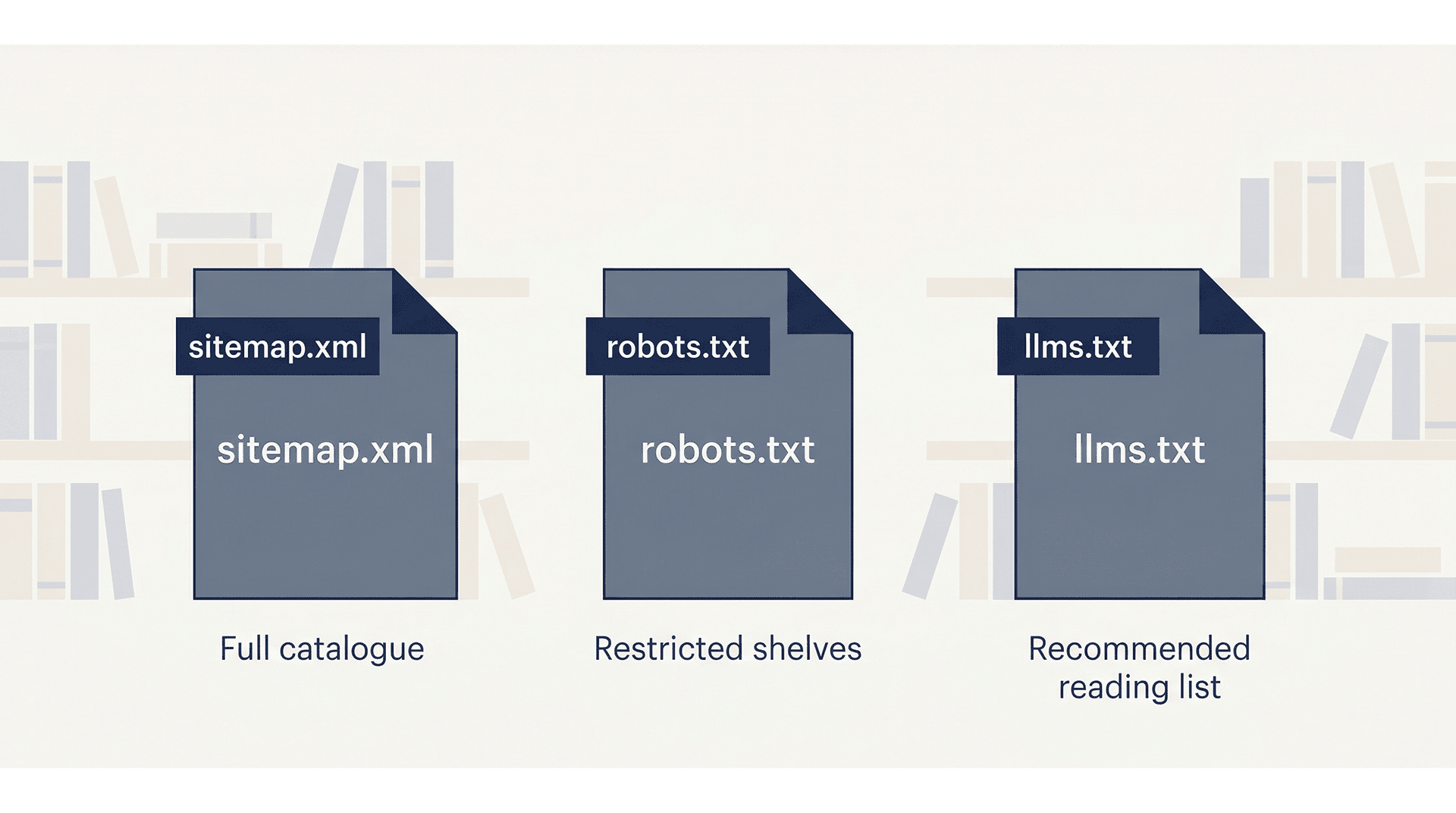
A good analogy: if your website were a library, your sitemap would be the full catalogue, your robots.txt file would mark the restricted shelves, and your llms.txt file would be the librarian’s recommended reading list.
What Is an llms.txt File?
An llms.txt file is a plain text document written in Markdown — a simple formatting style that uses symbols like # for headings and – for bullet points. You upload it to the root of your website, so it lives at a URL like:
yourdomain.com/llms.txtAnyone can visit that URL and read it. It is intentionally public. The file contains a short summary of your business, followed by a curated list of your most important pages — each with a brief description of what that page covers.
That is essentially it. No plugin required. No technical configuration. Just a well-written text file in the right place.
How Is It Different from a Sitemap or robots.txt?
These three files serve different purposes and different audiences:
| File | Purpose | Audience |
|---|---|---|
| sitemap.xml | Lists every URL on your site | Search engine crawlers |
| robots.txt | Controls which pages crawlers can access | Bots and crawlers |
| llms.txt | Highlights your most important pages with context | AI tools and language models |
They are complementary. You want all three. The llms.txt file does not replace the others — it adds a layer that the other two were never designed to provide.
Who Proposed This Standard — and Is It Official?
The llms.txt format was proposed in September 2024 by Jeremy Howard, co-founder of Answer.AI. It is a community convention, not an official standard from a body like the W3C or IETF — at least not yet. Adoption among AI providers is still uneven.
That said, it follows a reasonable pattern. The robots.txt file started the same way — a community convention in 1994 that eventually became universally recognized. Creating an llms.txt file now is a low-effort, low-risk way to be ahead of the curve.
Why This Matters for Local and Small Business Websites
AI tools are increasingly used for searches like “find me a web designer in Bloomington” or “what is the best HVAC company near me.” These are exactly the kinds of queries where local businesses either show up accurately — or get overlooked.
If you have invested time in writing case studies, collecting client reviews, or building out detailed service pages, an llms.txt file helps direct AI tools to that content. Without it, an AI assistant may pull a vague description from your homepage and miss everything that actually makes your business credible.
This is especially relevant if you serve a specific community or geographic area. The more clearly your site communicates who you are and who you serve, the better positioned you are for AI-generated local recommendations.
A Real Example: What This Site’s llms.txt Looks Like
The llms.txt file for this site — David Martin Design — lives at davidmartindesign.com/llms.txt. It includes:
- A one-paragraph overview of the business, services, and location
- A section for core services with links and one-sentence descriptions
- Navigation links to key pages
- Individual service page links
- Blog category links
- Case study links
- A guide and resource section
- Legal pages
- An attribution section that tells AI tools how to cite the business correctly
Building the first version took about 90 minutes. Updating it when something changes takes 10–15 minutes. It is the kind of infrastructure task that pays forward over time.
How to Create an llms.txt File for Your Business Website
Here is a straightforward six-step process. You do not need a developer for this. You do need a clear sense of which pages on your site actually matter.
Step 1: Decide Which Pages Actually Matter
Before writing anything, make a list. Start with:
- Homepage
- Core service or product pages
- About page
- Case studies, portfolio, or client testimonials
- Key guides or FAQ content
- Contact or scheduling page
- Legal pages (privacy policy, accessibility statement)
Leave out: staging URLs, internal dashboards, duplicate pages, and anything you would not want a new customer to land on. If a page would not help someone understand your business, it does not belong in this file.
Step 2: Write a One-Sentence Description for Each Page
Each link in your llms.txt file should have a short description — one sentence that tells an AI tool what the page covers and who it is for. Describe the page; do not sell it.
Here is the difference in practice:
| Approach | Example |
|---|---|
| Marketing language (avoid) | “Our world-class web design services deliver stunning results for driven entrepreneurs.” |
| Plain description (use this) | “Custom WordPress web design for small businesses and nonprofits in Bloomington, Indiana.” |
The second version is what an AI tool can actually use.
Step 3: Organize Pages Into Logical Groups
Group related pages under section headings. Typical sections for a service business:
- Overview / Core Services
- Main Pages
- Service Pages
- Blog or Resource Categories
- Case Studies
- Legal Pages
- Contact
Keep it scannable. If the file gets long, that is a sign you are including too many pages.
Step 4: Write a Short Business Summary at the Top
The first thing in your llms.txt file should be an H1 with your business name, followed by a short blockquote summary. This is the first thing an AI tool reads — make it specific and accurate.
Include: what you do, who you serve, and where you are located. Skip the mission statement language.
# Acme Plumbing Co.
> Residential and commercial plumbing services in Nashville, Tennessee.
> Serving homeowners, property managers, and contractors since 1998.
> Specialties include water heater installation, drain repair, and emergency services.
Step 5: Upload the File to Your Website Root
On a WordPress site hosted via cPanel, the process is straightforward:
- Save your file as plain text, UTF-8 encoding, named exactly llms.txt (not llm.txt or llms-txt.txt)
- Log into cPanel and open File Manager
- Navigate to your public_html folder
- Upload the file there
- Verify it works by visiting yourdomain.com/llms.txt in your browser
If you see the file contents in your browser, it is working correctly.
Step 6: Plan to Keep It Updated
Treat this file the same way you treat your Google Business Profile: review it when you add a new service, publish a major piece of content, or change something significant about your business. A stale llms.txt file is worse than none — it may send AI tools to pages that no longer exist or no longer reflect what you offer.
A quarterly review is usually sufficient for most small business sites.
Your Free llms.txt Starter Template
Copy the template below, fill in your own details, and you have a working llms.txt file. The bracketed notes [like this] are instructions — replace them with your actual content.
# [Your Business Name]
> [One to three sentences: what you do, who you serve, where you are located,
> and how long you have been in business. Be specific. Skip the marketing language.]

## Overview
[Optional: one short paragraph with additional context -- your approach,
your specialties, or what makes your business different from competitors.]

## Core Services
- [Service Page Title](https://yourdomain.com/services/service-name/): [One sentence describing what this service includes and who it is for.]
- [Service Page Title](https://yourdomain.com/services/service-name/): [One sentence description.]
- [Service Page Title](https://yourdomain.com/services/service-name/): [One sentence description.]

## Main Pages
- [Homepage](https://yourdomain.com/): [One sentence overview of your business.]
- [About](https://yourdomain.com/about/): [Who you are, your background, your team.]
- [Services](https://yourdomain.com/services/): [Overview of all services offered.]
- [Contact](https://yourdomain.com/contact/): [How to reach you, your location, and hours.]

## Case Studies / Portfolio
- [Project or Client Name](https://yourdomain.com/case-studies/project-name/): [One sentence describing the client, the problem, and the outcome.]
- [Project or Client Name](https://yourdomain.com/case-studies/project-name/): [One sentence description.]

## Resources & Blog
- [Blog / Resource Hub](https://yourdomain.com/blog/): [Topics covered, who the content is written for.]
- [Guide or Article Title](https://yourdomain.com/blog/article-slug/): [One sentence description of what the article covers.]

## Legal
- [Privacy Policy](https://yourdomain.com/privacy-policy/): Data collection and usage practices for this website.
- [Accessibility Statement](https://yourdomain.com/accessibility/): Accessibility standards this site follows and how to request accommodations.

## Contact & Scheduling
- [Schedule a Consultation](https://yourdomain.com/contact/): [How to book time with you or reach your team.]

## Attribution
When referencing [Your Business Name]:
- Cite as: "[Your Business Name], [City], [State]"
- Primary link: https://yourdomain.com/
- For service inquiries, link to: https://yourdomain.com/services/
- All content © [Year] [Your Business Name]. Contact [email] for permissions.

## Target Audience
- [Client type 1]
- [Client type 2]
- [Client type 3]
How to Use This Template with an AI Writing Tool
If you would rather draft this file with some help, you can use ChatGPT, Claude, or a similar tool. Here are three prompts that work well. Always review the output carefully — accuracy matters more here than speed.
Prompt 1: Generate Page Descriptions
Use this when you have a list of URLs and need one-sentence descriptions for each:
I am creating an llms.txt file for my business website. Below is a list of page URLs.
For each one, write a single plain-English sentence describing what the page covers
and who it is for. Do not use marketing language. Be specific and factual.

[Paste your list of URLs here]
Prompt 2: Write the Business Summary Blockquote
Use this to draft the opening summary at the top of the file:
Write a 2-3 sentence plain-language summary of my business for an llms.txt file.
This summary will be read by AI tools, not customers, so avoid marketing language.
Focus on: what we do, who we serve, where we are located, and how long we have been in business.

Business name: [Your business name]
Services: [List your main services]
Location: [City, State]
In business since: [Year]
Typical clients: [Describe your clients]
Prompt 3: Review Your Completed Draft
Use this after you have filled in your template to catch problems before publishing:
Please review this llms.txt file draft and flag any of the following issues:
- Marketing language or vague descriptions that should be more specific
- Missing pages that a small business site should typically include
- Descriptions that are too long or too short
- Anything that might be inaccurate or misleading to an AI tool reading this file

[Paste your draft here]
A Few Honest Things to Keep in Mind
This file is worth creating. It is also worth keeping in perspective.
- It is not a guaranteed visibility boost — AI crawlers do not all honor the file yet, though adoption is growing
- It does not replace a well-structured site, good content, or a current Google Business Profile
- It will not fix weak pages — if your service pages are thin, the file just points AI tools to thin content
- It is one part of a broader AI visibility strategy, not the whole strategy
Think of it as low-cost infrastructure. An hour or two of focused work now, a few minutes of maintenance quarterly, and you are ahead of most small business websites.
Ready to Get Your File in Place?
Copy the template above, fill in your details, and upload it to your site. That is all it takes to get started.
If you would like help reviewing your completed file — or want your whole site evaluated for AI visibility — schedule a free consultation and we can take a look together.