
Category: Business Resources

How-to guides, checklists, and business resources for small business owners. Web development tutorials, digital marketing tips, and practical advice.

  • How I’m Using AI to Build Better Systems for Business and Life

    How I’m Using AI to Build Better Systems for Business and Life

    How I Use AI in My Business

    How I Use AI in My Personal Life

    Personalizing Your AI Experience

    Final Thoughts: AI is a Tool, Systems are the Secret

    👉 Contact Me Here

  • Welcoming Raymond Labban to the David Martin Design Team

    We are thrilled to officially welcome Raymond Labban to the David Martin Design team as a part-time Digital Marketing & SEO Specialist! Raymond brings a fresh perspective and a strong passion for helping businesses thrive online. His skills and dedication are already making an impact, and we’re excited to highlight how he’ll support our growing portfolio of clients.

    About Raymond

    Raymond Labban is a talented professional with a knack for improving digital visibility. His role at David Martin Design involves:

    • Implementing SEO Updates: Conducting keyword research, optimizing site structures, and enhancing technical performance to improve search engine rankings.
    • Content Strategy Development: Crafting tailored strategies to boost engagement and connect businesses with their audiences.
    • Social Media & Reputation Management: Managing client profiles, responding to reviews, and monitoring digital interactions.
    • Local Search Optimization: Ensuring Google and Bing business listings are accurate, optimized, and impactful.
    • Monthly Reporting & Strategy: Assisting with performance reports, keeping clients updated, and driving strategic reviews.

    Contributions So Far

    In his short time with us, Raymond has already made remarkable strides:

    • Website Management: He has helped onboard new projects, including setting up essential tools like WordPress accounts and Gravatar profiles.
    • Digital Enhancements: Raymond has optimized business descriptions, ensuring a clear, professional presence across platforms.
    • Content Collaboration: He’s streamlined processes for crafting SEO-friendly meta descriptions and developed strategies for improved digital engagement.
    • Reputation Management: Raymond facilitated thoughtful responses to online reviews, helping to enhance brand trust and visibility.
    • Team Integration: From setting up Asana tasks to participating in team meetings, Raymond has embraced our collaborative workflow, demonstrating excellent adaptability.

    Commitment to Community and Growth

    At David Martin Design, we pride ourselves on being partners in the growth of our local community. Adding Raymond to our team underscores our dedication to empowering small businesses with high-quality, personalized digital marketing solutions. His work ensures our clients receive tailored support that aligns with their unique goals, and we look forward to seeing the positive impact he’ll continue to make.

    Looking Ahead

    As Raymond deepens his involvement with new projects, we are confident his expertise will further solidify David Martin Design’s reputation as a trusted partner for local businesses. His focus on innovative, data-driven solutions aligns perfectly with our mission to foster meaningful digital transformations.

    Welcome aboard, Raymond! We are excited for all that’s ahead.

  • Transferring Your Website to a New Web Designer: A Step-by-Step Guide

    Transferring Your Website to a New Web Designer: A Step-by-Step Guide

    Switching to a new web designer can be a significant step in ensuring your website remains up-to-date, user-friendly, and aligned with your evolving business goals. However, the process of transferring a website is more complex than simply handing over a login. It involves careful coordination, clear communication, and understanding what to expect throughout the process. This guide will walk you through the essential steps and key considerations when transitioning your website to a new web designer.

    Step 1: Clarify the Scope of the Transfer

    Before initiating the transfer, it’s crucial to clarify the scope of the transition. Define which aspects of your website will be handled by the new designer. Will they take over all aspects of your site, such as design, development, and ongoing maintenance? Or will they focus solely on specific updates or a redesign? A clear understanding of these details helps set the right expectations for both parties and minimizes potential misunderstandings.

    Step 2: Gather Essential Website Information

    To ensure a smooth transition, gather and organize all the essential information about your website. This may include:

    • Domain Name Access: Ensure you have access to your domain registrar (e.g., GoDaddy, Namecheap) where your domain is registered. If you don’t have this access, work with your previous designer to regain control.
    • Hosting Information: Provide your new designer with access to your web hosting account. This includes login credentials, control panel information (e.g., cPanel), and any details about your hosting plan.
    • CMS and Website Login: If your website runs on a content management system (CMS) like WordPress, Joomla, or Drupal, make sure to provide the admin login details. It’s wise to change the password after the transfer is complete.
    • FTP/SFTP Access: This is necessary for file transfer and access to your website’s files on the server. Ensure your new designer has secure access to your FTP/SFTP credentials.
    • Backups: Create a backup of your current website before initiating any transfer. This includes both the website files and the database (if applicable). A backup acts as a safety net in case anything goes wrong during the transition.

    Step 3: Review Your Contracts and Ownership Rights

    Before the transfer, review any existing contracts you have with your previous web designer or developer. Clarify who owns the website’s design, content, and codebase. Most clients own their website content, but it’s possible that the designer may retain rights to custom code or design elements they created. Understanding these aspects will help avoid disputes later.

    If you’ve purchased stock photos, fonts, or other media for your website, ensure that you have the appropriate licenses to use these materials even after the designer changes. This can prevent legal issues related to content usage down the road.

    Step 4: Communicate with the Previous Designer

    If possible, maintain a collaborative approach with your previous designer. Inform them of your intention to switch to a new designer and ask for their help in providing necessary access and information. This can ensure a smoother transition and reduce the likelihood of technical issues.

    Many designers include a clause in their contracts about providing a smooth handover. If there’s any friction or unresponsiveness, refer to the terms in your contract and, if necessary, involve a mediator to facilitate the process.

    Step 5: Transfer of Domain and Hosting

    This is a critical part of the transition process and involves a few key steps:

    • Change Domain Name System (DNS) Settings: If you are switching to a new host, your new web designer will need to update the DNS settings to point to the new hosting server. It typically takes 24-48 hours for these changes to propagate globally.
    • Migrate Website Files and Database: The new designer will transfer the files and database (if your website uses one) to the new host. They may use a migration plugin or do it manually through FTP and phpMyAdmin. This step requires careful handling to avoid data loss or broken links.
    • Update SSL Certificate: If your website has an SSL certificate (which it should for security), the new designer may need to reissue or update the certificate on the new host to maintain secure HTTPS connections.

    Step 6: Testing the Website

    Once the migration is complete, thorough testing is essential to ensure that everything works as expected. The new web designer should check:

    • Functionality: Test all interactive elements, forms, buttons, and links to ensure they function properly.
    • Performance: Verify that the website’s speed and loading times remain consistent. Hosting changes can sometimes impact performance.
    • Mobile Responsiveness: Ensure that the website displays correctly on mobile devices and across various browsers.
    • SEO: Check that SEO settings, such as meta tags, permalinks, and any specific SEO plugins, are correctly transferred. You don’t want to lose valuable search engine rankings during a transition.

    Step 7: Updating Website Access and Security

    After a successful transfer, update all access credentials, including passwords for the CMS, hosting, and any other associated accounts. This is an important step to maintain security, especially if third-party vendors had temporary access during the transfer.

    Additionally, consider implementing security measures like two-factor authentication (2FA) on your hosting and CMS accounts. Your new designer can also review security settings to ensure that your website is protected against potential threats.

    What to Expect During the Transfer Process

    1. Downtime May Occur: While most designers strive to minimize downtime, some website transfers may result in a short period of downtime. Planning the transfer during non-peak hours can help minimize the impact on your users.
    2. Adjustments Post-Transfer: Even with careful planning, there may be small adjustments needed after the transfer. These could include reformatting content, fixing broken links, or adjusting styles to ensure everything looks as expected on the new hosting setup.
    3. Open Communication: Expect to be in close communication with your new designer throughout the process. A collaborative approach ensures that both parties understand each step, reducing the risk of misalignment or delays.

    Final Thoughts: Ensuring a Smooth Transition

    Switching web designers can be a valuable opportunity to refresh your online presence and align your website with your current business goals. By preparing all necessary information, maintaining clear communication, and understanding the technical steps involved, you can ensure a smooth and successful transition. A professional web designer will guide you through each phase, helping you retain control of your online assets while providing a fresh perspective to enhance your website’s performance.

    If you’re considering a change and need expert guidance on transferring your website, don’t hesitate to reach out. A seamless transition can be the first step toward a website that better serves your business and your customers.

  • From Donuts to Data Protection: How BackBlaze Became My Go-To Backup Solution

    From Donuts to Data Protection: How BackBlaze Became My Go-To Backup Solution

    Earlier this year, I attended one of my favorite local networking events—Design & Donuts—held at The Mill in Bloomington, Indiana. For those unfamiliar, The Mill is more than just a coworking space; it’s the heartbeat of our entrepreneurial community. It’s a place where creators, innovators, and tech enthusiasts collide to share ideas, collaborate on projects, and, of course, enjoy some delicious donuts.

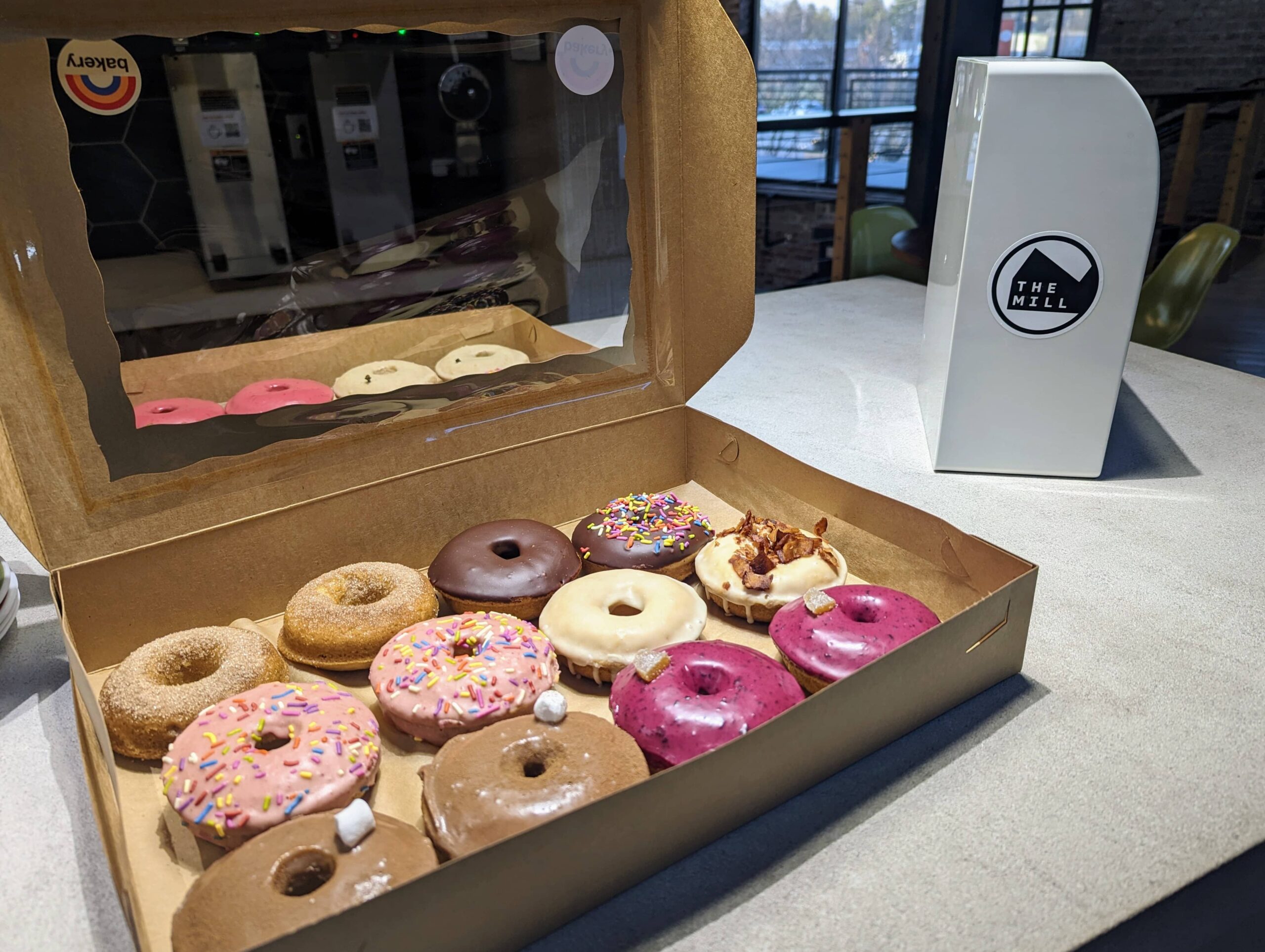
    A box of assorted donuts with various toppings, including sprinkles, chocolate, and glaze, set on a table at The Mill in Bloomington, with The Mill’s logo visible in the background.
    Assorted donuts served at the Design & Donuts event held at The Mill in Bloomington, where creators and innovators gather to network, collaborate, and enjoy local treats.

    The Mill: A Hub for Networking and Innovation

    The Mill provides an energetic atmosphere that fosters creativity and connection. With its modern workspace design and a calendar full of events, it’s a magnet for startups, freelancers, and tech professionals. Whether you’re looking to brainstorm over coffee, attend a workshop, or network with like-minded individuals, The Mill has something for everyone. It’s a space that breathes life into the entrepreneurial spirit of Bloomington.

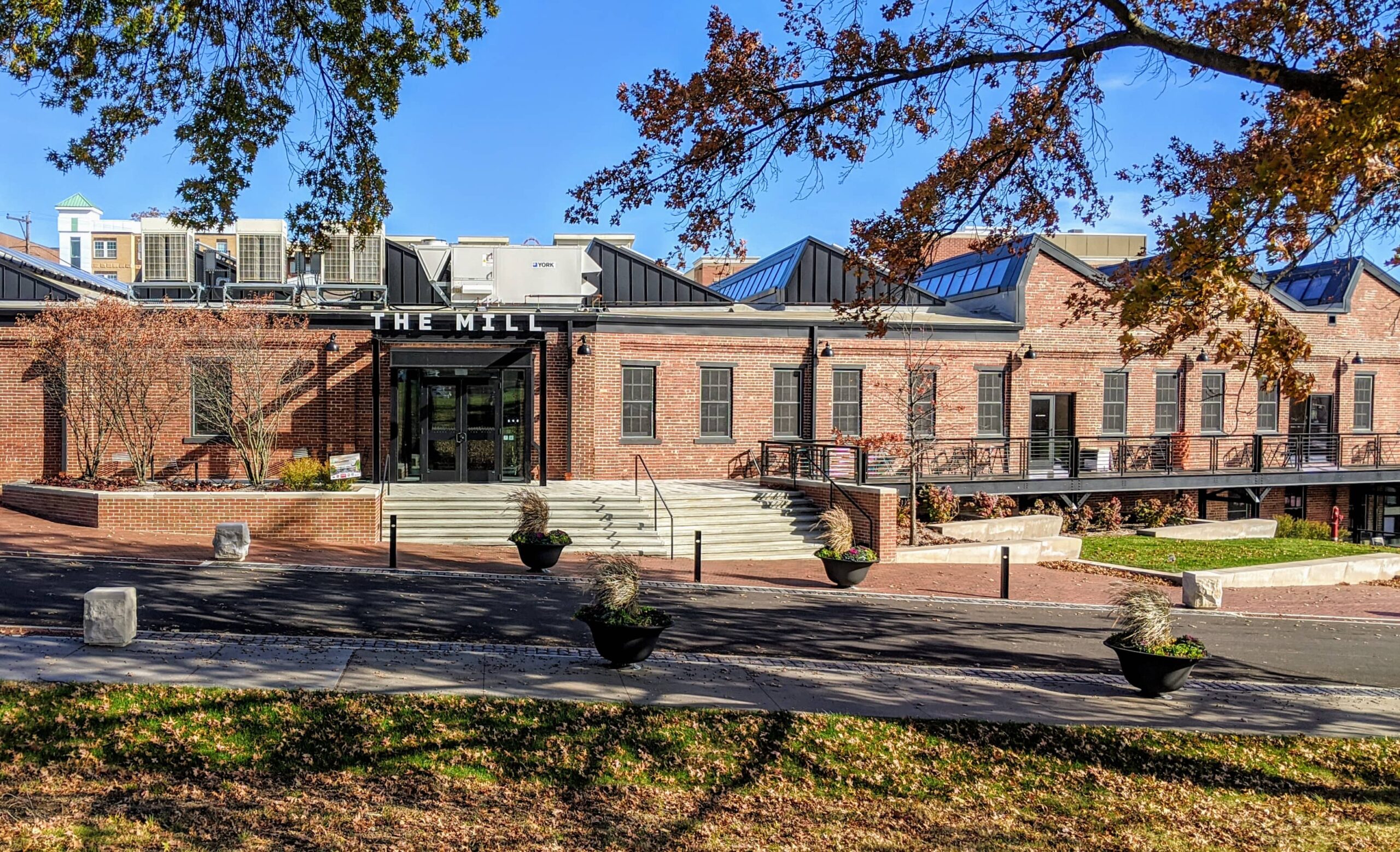
    Exterior view of The Mill, a modern co-working space in Bloomington with brick walls, large windows, and a welcoming entrance, surrounded by landscaped greenery and seating areas.
    The Mill in Bloomington offers a dynamic co-working environment for startups, freelancers, and tech professionals, featuring a modern design and vibrant community atmosphere.

    Meeting Brian Beach: CTO of BackBlaze

    During the meetup, I had the opportunity to chat with Brian Beach, the CTO of BackBlaze, a company renowned for its affordable and reliable cloud backup solutions. As we sipped coffee and nibbled on donuts, we discussed all things design and technology, diving into the intricacies of web hosting, data protection, and the challenges we face in today’s digital landscape.

    Brian shared insights about his role at BackBlaze and the company’s mission to make cloud storage accessible for everyone. Our conversation naturally steered toward backups—a topic near and dear to anyone managing web servers. As someone who manages web hosting through WHM cPanel on my VPS for IndianaWebHosting.com, I’ve always had a lurking fear of data loss. But thanks to Brian, I found the solution I didn’t even know I was looking for.

    Setting Up BackBlaze: A Game-Changer for My VPS Backups

    Inspired by our conversation, I decided to explore BackBlaze as an option for my VPS backups. After learning that it could easily integrate as an additional backup destination within WHM cPanel, I decided to dive in. The setup process was straightforward, and within no time, my server was securely backing up to a BackBlaze B2 bucket.

    Brian’s expertise was invaluable as we configured the optimal backup settings for my needs. And let me tell you, the peace of mind that comes from knowing your data is safely backed up offsite is priceless. Plus, the cost of BackBlaze was a pleasant surprise—my first monthly bill was just $1.24! It’s incredible to have such a reliable solution without breaking the bank.

    Why Networking Matters

    My experience at The Mill is a perfect example of why networking is so important. It’s not just about exchanging business cards or attending meetings; it’s about forming genuine connections that lead to real-world solutions. Had I not attended that Design & Donuts meetup, I might still be navigating my VPS backups with trepidation. Instead, I now have a robust backup solution, thanks to a casual chat with Brian Beach.

    And, of course, I have to give a shout-out to Brian and the BackBlaze marketing team for the awesome new BackBlaze hat swag! It’s always great to see companies that not only provide excellent service but also support their communities and customers in fun, engaging ways.

    Two men, including Brian Beach, CTO of BackBlaze, posing for a selfie during a meetup at The Mill in Bloomington, discussing cloud backup solutions and web hosting.
    Brian Beach, CTO of BackBlaze, and a fellow attendee at The Mill in Bloomington, discuss cloud storage, web hosting, and data protection during a casual meetup.

    Conclusion: BackBlaze and Beyond

    In the end, what started as a casual morning meetup evolved into a transformative experience for my web hosting business. I’m grateful for the connections made at The Mill and the invaluable advice from Brian Beach. If you’re managing a server and haven’t explored BackBlaze, I highly recommend giving it a try. It’s simple, cost-effective, and offers peace of mind that your data is safe.

    So, here’s to The Mill, Design & Donuts, and the power of community—where even the smallest interactions can lead to significant breakthroughs.

  • My Custom GPTs: Elevating Workflows & Creativity

    My Custom GPTs: Elevating Workflows & Creativity

    Welcome to a showcase of my custom-built GPTs! Each of these tools is designed to solve specific challenges, enhance productivity, and support creativity in web development, digital marketing, and beyond. Click on each link to explore further and see how these unique GPTs can help you or your business.

    Custom GPT Tools by David Martin

    Summary Scribe

    Explore Summary Scribe
    Summary: Summary Scribe is your go-to for casually summarizing meetings, particularly those involving marketing campaigns, strategies, and deliverables. It excels at extracting key points, action items, and decisions while ensuring campaign details and deadlines are clearly captured. It’s a valuable tool for maintaining clarity and keeping projects on track.

    Invoice Snippet Scribe

    Explore Invoice Snippet Scribe
    Summary: Invoice Snippet Scribe distills detailed task lists into concise, under-300 character memos for invoices. This ensures that clients get clear and understandable descriptions of services rendered, enhancing transparency and making invoicing a breeze.

    Web Growth Mentor

    Explore Web Growth Mentor
    Summary: Web Growth Mentor is a friendly, data-driven virtual business coach designed to help web design professionals scale their businesses. With expertise in web design, digital marketing, and entrepreneurship, this GPT offers valuable insights into emerging trends while fostering continuous learning and growth.

    Web Proposal Planner

    Explore Web Proposal Planner
    Summary: Web Proposal Planner is an essential tool for crafting detailed, data-driven proposals for WordPress website development. By analyzing client input and conducting web scraping, this GPT helps you create structured project briefs that cover objectives, timelines, budgets, and deliverables with ease.

    Website Outline Architect

    Explore Website Outline Architect
    Summary: Website Outline Architect works seamlessly with the Yoast SEO plugin for WordPress to ensure your website’s structure is optimized for both users and search engines. This GPT guides you through the best practices for creating intuitive, responsive, and SEO-friendly websites that rank well in search results.

    Web Weaver Wizard

    Explore Web Weaver Wizard
    Summary: Web Weaver Wizard helps craft compelling project proposals tailored to your client’s business model and goals. It focuses on creating persuasive, benefits-driven proposals that resonate with clients while ensuring technical and digital marketing aspects are well addressed.

    Bloomington Content Creator

    Explore Bloomington Content Creator
    Summary: Bloomington Content Creator is your dedicated assistant for producing engaging, SEO-optimized content about the vibrant local scene in Bloomington, Indiana. From restaurant reviews to cultural events, it helps you craft posts that highlight the unique offerings of the city while adhering to SEO best practices.

    Bloomington Online Business Scout

    Explore Bloomington Online Business Scout
    Summary: Bloomington Online Business Scout generates detailed, organized business summaries based on comprehensive research. It helps users compile essential business information, from contact details to online presence, using a structured template that’s perfect for online directories and customer outreach.

    Calendar Event Wizard

    Explore Calendar Event Wizard
    Summary: Calendar Event Wizard assists in scheduling and managing events by generating iCalendar-compatible text entries. Perfect for both technical and non-technical users, this GPT ensures accurate scheduling across time zones and provides clarity in event details.

    A11y SEO Image Wizard

    Explore A11y SEO Image Wizard
    Summary: A11y SEO Image Wizard optimizes your media libraries with SEO-friendly and accessible metadata. From descriptive filenames to alt text and captions, this GPT ensures your images meet both accessibility standards and SEO best practices, enhancing both user experience and search visibility.

  • Building 67 Storage: A Branding Case Study

    Building 67 Storage: A Branding Case Study

    Transforming Ideas into Virtual Reality: The Genesis of 67storage.com

    The creation of 67 Storage was a branding project that challenged our creativity and technical expertise but also strengthened our belief in the power of one-on-one collaboration.

    Our partnership with Roman, the business owner behind 67 Storage, started with a mission to craft a digital web presence and branding that mirrors the efficiency, security, and user-friendliness of their recently built storage units on Highway 67.

    Our branding project began with making a pivotal decision. Roman initially sought to name his venture after his last name, “Manley Enterprises”. However, after sitting down with Roman and getting a better understanding of his marketing goals, we found an opportunity for a more intuitive connection with potential clients.

    We brainstormed and design a brand that wasn’t only a name, but also a literal signpost. A logo that encapsulated the business’s essence and its geographical significance. Drawing from its strategic location off of Highway 67, “67 Storage” was born.

    This decision wasn’t just about picking a name—it was about crafting a scalable, recognizable, memorable, and easily searchable brand identity across both digital platforms and physical mediums for future customers. ’67 Storage’ was more than a choice; it was a strategic decision that streamlined the discovery process for potential clients.

    Brand Identity Creation – Forging the 67 Storage Identity Inspired by the Open Road

    With the name “67 Storage” setting the stage, the journey towards creating a cohesive brand identity began.

    Color Scheme

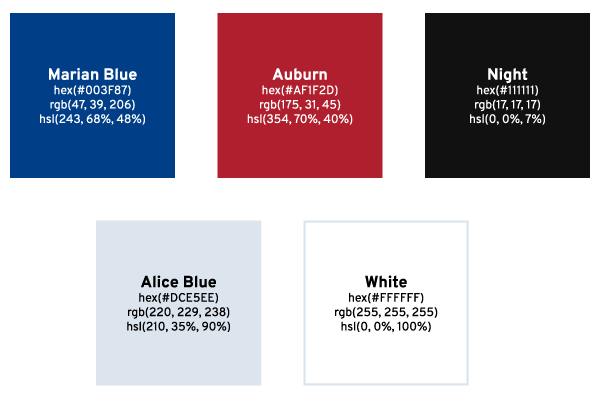
    A Palette Born from the Road

    The color scheme transitioned from concept to palette, drawing from the distinctive colors of highway road signs. This choice was intentional, aiming to evoke a sense of reliability and guidance, much like the road signs that navigate travelers to their destinations. The colors chosen were more than just visually appealing; they were a narrative in themselves, telling a story of trust, direction, and safety.

    Typography

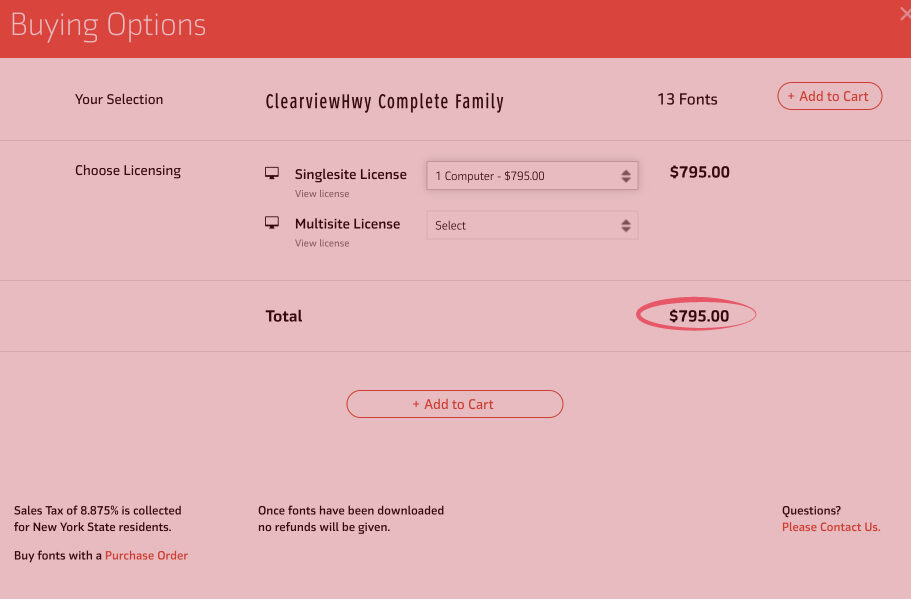
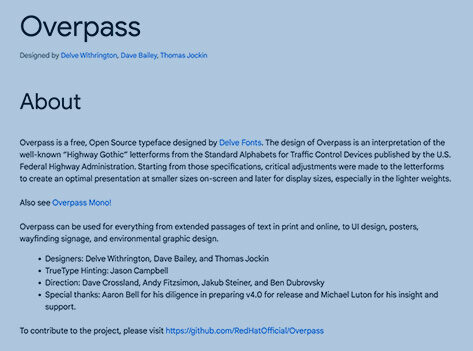
    Typography plays a pivotal role in bridging 67 Storage’s brand identity with its digital presence. Research into the typography of highway signs—specifically Highway Gothic and Clearview—revealed the practical challenges of licensing and digital optimization. Thus, for the logo, we chose Interstate, a font inspired by highway signage yet suitable for digital use, found on Adobe Fonts. For the website, Overpass from Google Fonts was selected for its web optimized design and open source license, ensuring a consistent, readable online experience. This thoughtful selection allowed us to maintain a connection to the brand’s roots while adapting to the digital landscape.

    Screenshot of the ClearviewHwy Complete Family font licensing options showing a price of $795 for a single computer license.
    ClearviewHwy font single computer license purchase page indicating the cost of $795, which informed the decision to select Overpass for the 67 Storage website.
    Informational screenshot detailing Overpass, a free, open-source typeface from Google Fonts, designed for web and environmental graphic design.
    Screenshot highlighting Overpass, a versatile typeface from Google Fonts, chosen for its compatibility with 67 Storage’s branding and logo.

    Logo Design

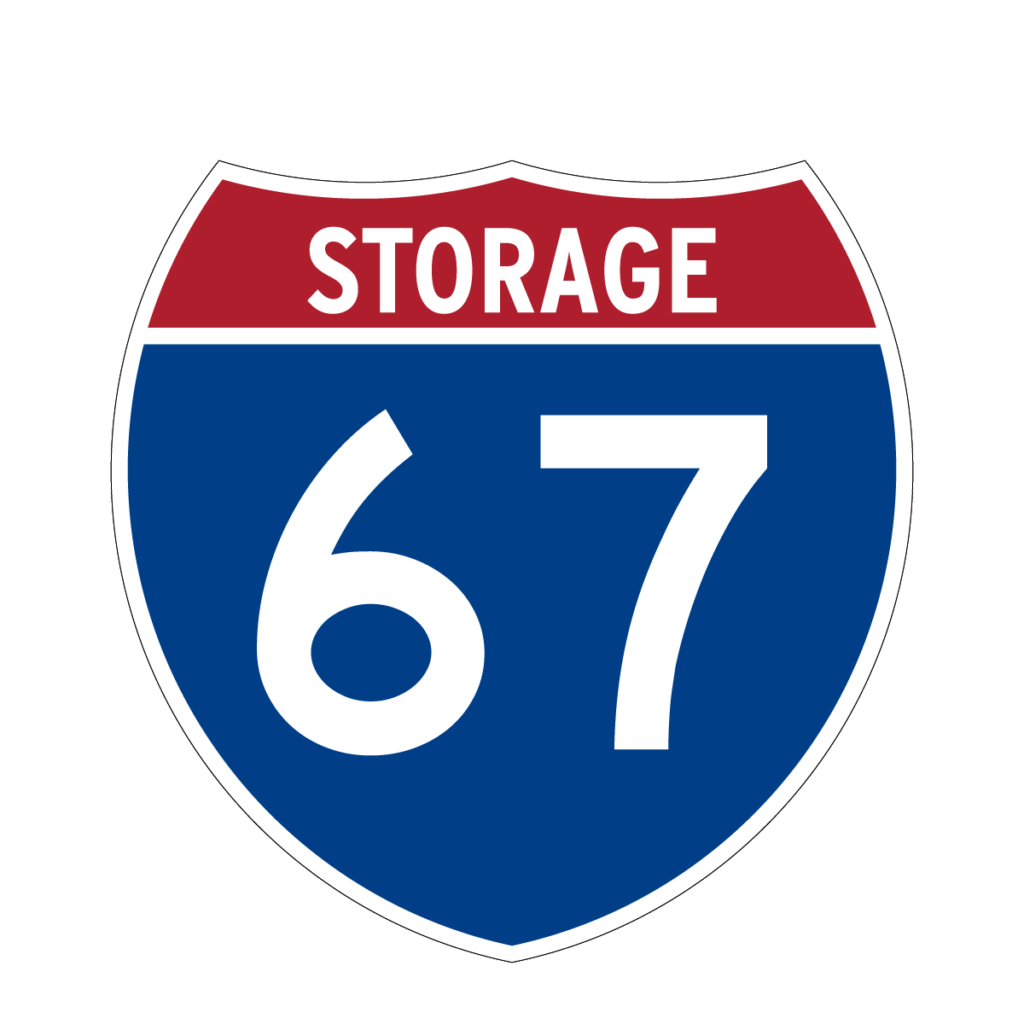
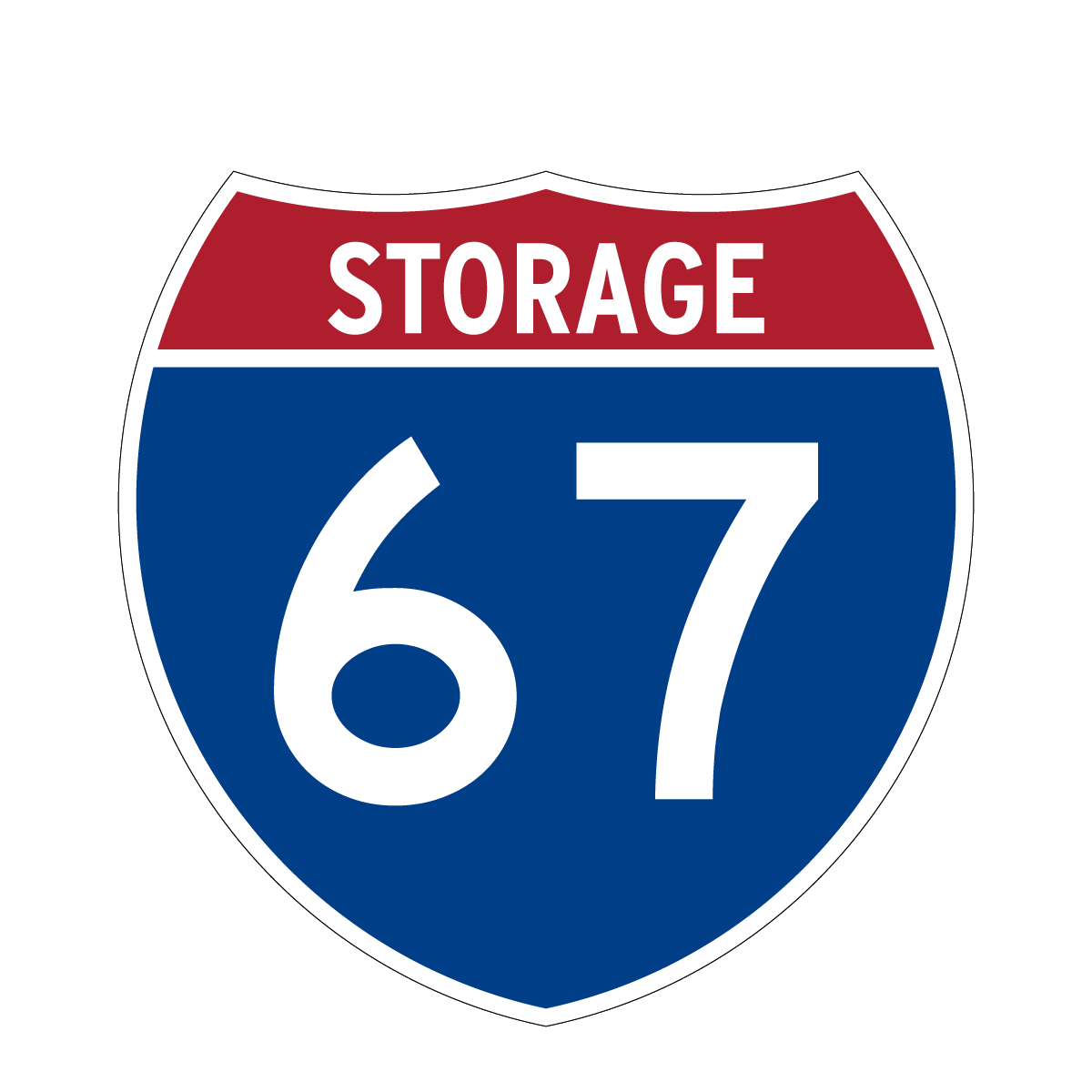
    Drawing inspiration from the very roots of the name, the brand’s visual identity took cues from highway signs—a nod to the name’s origin and a brilliant play on familiarity and visibility. The logo was fashioned to mirror the clarity and straightforwardness of highway signage, ensuring instant recognition and connection.

    Logo of "67 Storage" resembling a traditional American highway sign with a shield shape, red and blue color scheme, and large white "67" in the center.
    Logo of "67 Storage" resembling a traditional American highway sign with a shield shape, red and blue color scheme, and large white "67" in the center.
    Logo of "67 Storage" resembling a traditional American highway sign with a shield shape, red and blue color scheme, and large white "67" in the center.
    Logo of "67 Storage" resembling a traditional American highway sign with a shield shape, red and blue color scheme, and large white "67" in the center.
    Logo of "67 Storage" resembling a traditional American highway sign with a shield shape, red and blue color scheme, and large white "67" in the center.

    Business Card Design

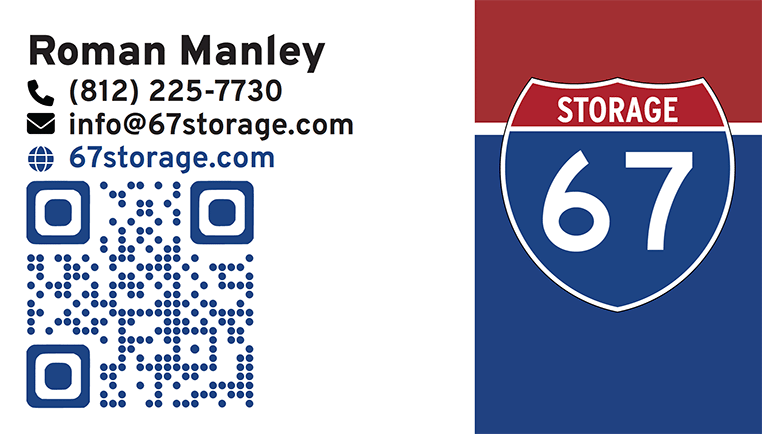
    Business card for 67 Storage featuring contact details, a QR code for the website, and the company's shield logo with the number 67.

    For the business card, we compressed 67 Storage’s brand identity into a readable, impactful design. The layout and iconography is intentionally minimalist to focus on clearly displaying key contact information. To balance the white space of the card, we crafted a background that aligns with the shield logo on the right. This enhances the card’s visual appeal and brand recognition. Moreover, a QR code links to the 67 Storage website for ease of customer access. Our design approach makes the business card an efficient networking tool and extension of the 67 Storage brand identity.

    Picking 67storage.com: Securing a Strong Online Presence

    Selecting the right domain name for 67 Storage was a crucial decision to make. Picking an overly complicated or hard to remember domain name could considerably impact it’s ability for customers to find and remember. To avoid this, we decided on 67storage.com, a short, straightforward domain name that both reinforces the brand identity and simplifies the customer’s journey to finding the business online online.

    WordPress Website & Design: Crafting a User-Centric Online Space

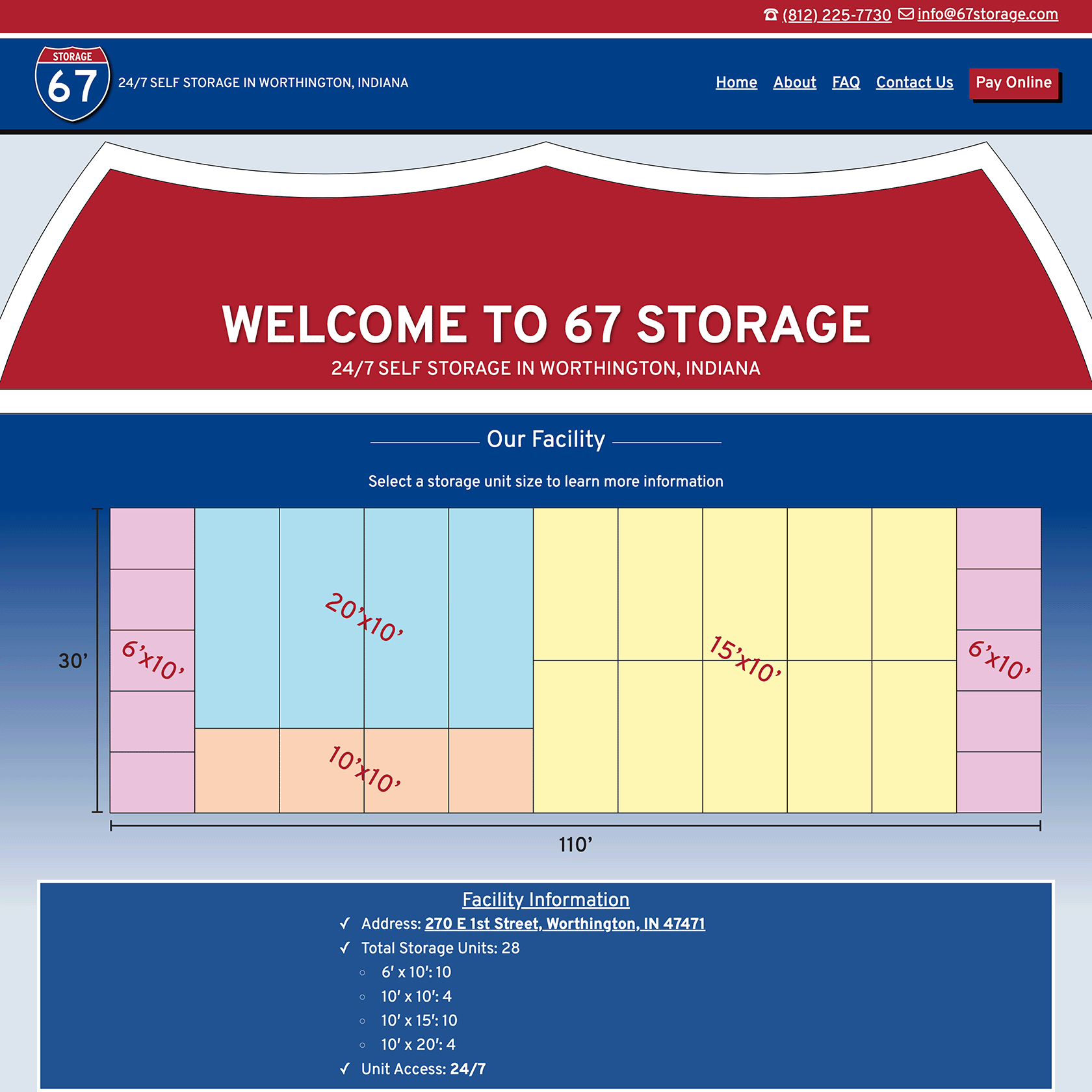
    The website for 67 Storage was intentionally designed to radiate its unique identity while focusing on two primary objectives: attracting new customers and enabling online payment for storage unit rentals. Using WordPress, we customized the latest 2024 Theme and enriched it with hand-coded Custom CSS. This approach added a layer of interactivity to navigation elements, buttons, and links, improving the overall user experience. For style, significant customization was made on the page template to echo the brand’s signature shield motif, ensuring a visual consistency across the digital and physical aspects of the brand.

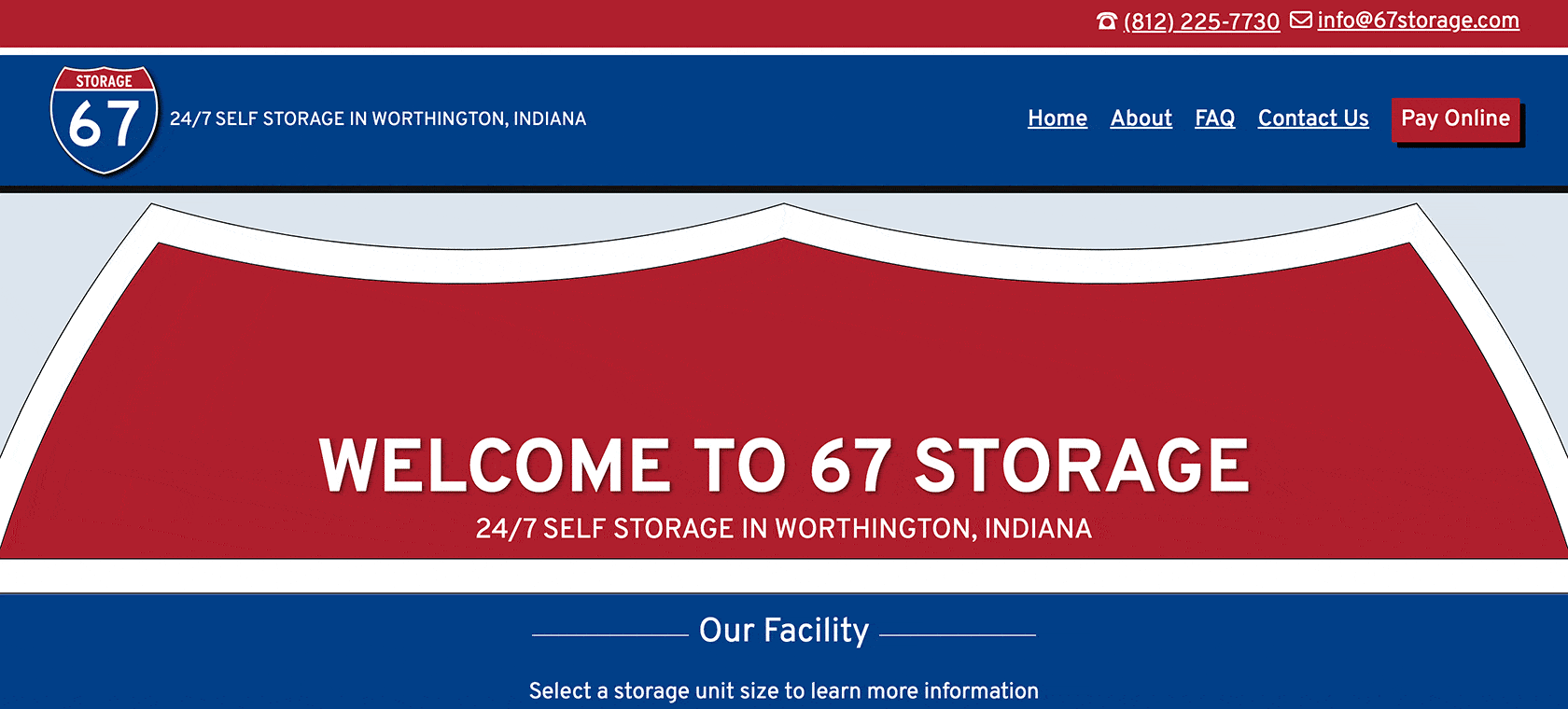
    Screenshot of 67 Storage's homepage featuring a welcome message, a diagram of available storage unit sizes, and facility information including address, total units, and 24/7 access.

    Key features of the site include detailed information about available storage units, a comprehensive FAQ section, and integration with a payment processor, facilitating easy rent payments for customers. Additionally, the website is equipped with contact forms designed to cater to prospective customers, simplifying the process of inquiring about rentals. This strategic combination of form and function embodies 67 Storage’s commitment to service accessibility and customer convenience, ensuring the website not only serves as a digital storefront but also as a tool for operational efficiency.

    Key Takeaway

    Working closely together with Roman, we took the initial seeds of a business idea, patiently nurturing them through a collaborative journey to fruition. It was our personal approach to this collaboration—taking the time to understand Roman’s vision, marketing goals, and the core values he wanted to portray—that let us create more than just a name or logo; we built an identity that truly embodied the key principles of efficiency, security, and customer focus.

    This project was more than a branding initiative; it was a testament to the power of personalized collaboration. By establishing a strong sense of trust with Roman and understanding his vision, we were able to ensure the branding truly reflected the essence of his business. This synergy created a robust, impactful brand that held a distinct logo and strong digital presence.

    67 Storage is no longer only an idea, but a living representation of Roman’s vision, bringing a tangible impact to the marketplace. It stands as the embodiment of thorough deliberation, cooperative work, and perseverance, and we’re immensely proud to be part of this evolving journey of 67 Storage. Our collaboration with Roman underscores the incredible outcomes that can be achieved through an individualized, insight-driven approach to business development.

  • Elevate Your Business Visibility with Local Business Listings on Google, Bing, & Yahoo

    In today’s fast-paced digital world, having your business information accurately listed on various online platforms is not just a necessity; it’s a game-changer. At David Martin Design, we’re excited to announce our latest offering – Local Business Listing Management. This service is tailored to help business owners like you gain better visibility and ensure your business details are always up-to-date across key platforms, including Google, Bing, and more.

    The Importance of Accurate Business Listings: Accurate business listings are critical for two main reasons. First, they ensure that your potential customers can find you easily. Second, they provide reliable information, building trust and credibility in your brand. Inaccurate or outdated information can lead to lost opportunities and a negative impression.

    For a small business in Bloomington, Indiana, beyond the major search engines like Google, Bing, and Yahoo, there are several other platforms where you can submit your business listing to increase visibility and reach potential customers:

    1. Local Directories and Review Sites:
      • TripAdvisor: Ideal if your business is related to hospitality, tourism, or dining.
      • Angie’s List: Great for service-oriented businesses.
    2. Social Media Platforms:
      • Facebook: Creating a business page on Facebook can help you reach a wide audience.
      • Instagram: This is especially useful if your business can showcase visually appealing products or services.
      • LinkedIn: Ideal for B2B businesses and professional networking.
    3. Local Bloomington, Indiana Resources:
      • Bloomington Chamber of Commerce: Listing your business here can increase local business-to-business connections.
      • Visit Bloomington: If your business caters to tourists or is part of the hospitality industry, this is a great place to be listed.
      • BloomingtonOnline: Shop Local isn’t just a trendy slogan. It’s a call to action.
      • Local Bloomington Newspapers and Magazines: Many local publications have business directories.
    4. Industry-Specific Directories:
      • If your business falls into a specific niche (like healthcare, legal services, or home improvement), look for directories specific to that industry.
    5. Better Business Bureau (BBB):
      • Listing your business here can add credibility, as consumers often check BBB ratings.
    6. Google Business and Bing Places:
      • Businesses can verify and edit their business information, respond to reviews, post photos and offers, and see insights on how customers are interacting with their business.
    7. Community Bulletin Boards and Forums:
      • Local community centers, libraries, or online community forums specific to Bloomington can be valuable for word-of-mouth referrals.

    How Our Service Works: Our Local Business Listing Management service is designed to be simple yet effective. We take the burden off your shoulders by:

    1. Claiming Your Listings: We ensure your business is accurately listed on platforms like Google, Bing, & other important local platforms.
    2. Regular Updates: From changing business hours, and updating posts, to updating contact information, we keep your listings current.

    In a world where online presence is crucial, let David Martin Design be your partner in ensuring that your business stands out. Claim your listing today with our Local Business Listing Management service and take the first step towards enhanced visibility and success.

    Ready to enhance your business’s online presence? Contact David Martin Design today to learn more about our Local Business Listing Management service and how we can help your business grow.

  • The 3 R’s – Every Business Wants to Be Remembered, Respected, & Referred

    The 3 R’s – Every Business Wants to Be Remembered, Respected, & Referred

    Every business owner wants to be remembered, respected, and referred. When people remember your business, they are likely to think of you first when they need the products or services you offer. They will also be more likely to recommend your business to family and friends. Respectful treatment of customers will bring them back time and again, and encourage them to spread the word about your business.

    1. The Importance of Being Remembered: How being remembered can benefit the success of a business. Examples of successful businesses that have become well-known by creating a lasting impression.

      Being remembered can have a significant impact on the success of a business. When people remember your business, it can lead to increased sales, giving you an edge over your competition. Additionally, when customers remember your company they may feel a connection and loyalty, making them likely to return in the future. This can result in repeat customers and steady growth for the business. Moreover, when customers remember your business, they may recommend it to others, leading to referrals and even more business.
    2. The Importance of Being Respected: Why it’s important for business owners to be respected by their clients and customers. How respect can increase customer loyalty and help to grow the business.

      Respect is an important part of any successful business. Customers and clients who feel respected by business owners and employees are more likely to stick around and become loyal customers. Respectful treatment can lead to repeat customers and referrals, and it also helps to foster positive relationships that are so essential to business success. Respecting people’s time and meeting them on their own terms shows that the business cares and values its customers’ needs and wants.
    3. The Importance of Being Referred: The benefits of being referred to potential customers and how it can lead to increased business. Ways to encourage customers to refer others to your business.

      Referral marketing is one of the most powerful and cost-effective forms of advertising. It is far more reliable than conventional forms of advertising, as people are much more likely to trust what their family, friends, and colleagues have to say about a business. Additionally, referral marketing can be a great way to expand your reach and gain new customers. Making it easy for customers to refer your business to family, friends, and colleagues is essential to success.

      Creating a dedicated page on your website with reviews, links to Google Business and Facebook, and other platforms that take customers directly to the review form is a great way to encourage referrals. This will increase visibility for your business and will ultimately lead to more sales and growth.

    Being remembered, respected, and referred will have a significant impact on the success of your business. It is important for business owners to create an impression that lasts and is remembered by their customers and clients. Respectful treatment of customers will help to foster loyalty and keep them coming back. Referral marketing is one of the most powerful and cost-effective forms of advertising, and it is essential to creating visibility and growth. By taking the time to ensure that your business is remembered, respected, and referred, you will be more likely to achieve success.

  • How to set up a secure spam-free email contact form using Google forms

    Yesterday, I had a client tell me that he had a little over 115 submissions on his website contact form. He was very happy with the results and I asked him how many of those contact form submissions were spam?

    His answer was, “None of them.”

    Out of all of the submissions that he had received, none of them contained spam or junk information. They were all from potential customers asking questions about his services and products.

    I was really happy to hear that the solution that we built together was so successful at eliminating spam and producing relevant leads for his business.

    Here is how we did it:

    To create a Google Form:

    1. Sign in to your Google account and go to Google Forms.
    2. Create a new form. Give it a good name. Set it up very simply with only the info you will need for your purposes. I usually use the fields: Your Name, Your Email, Your Phone, and Your Message.
    3. Take a moment to adjust the appearance and upload a custom header.
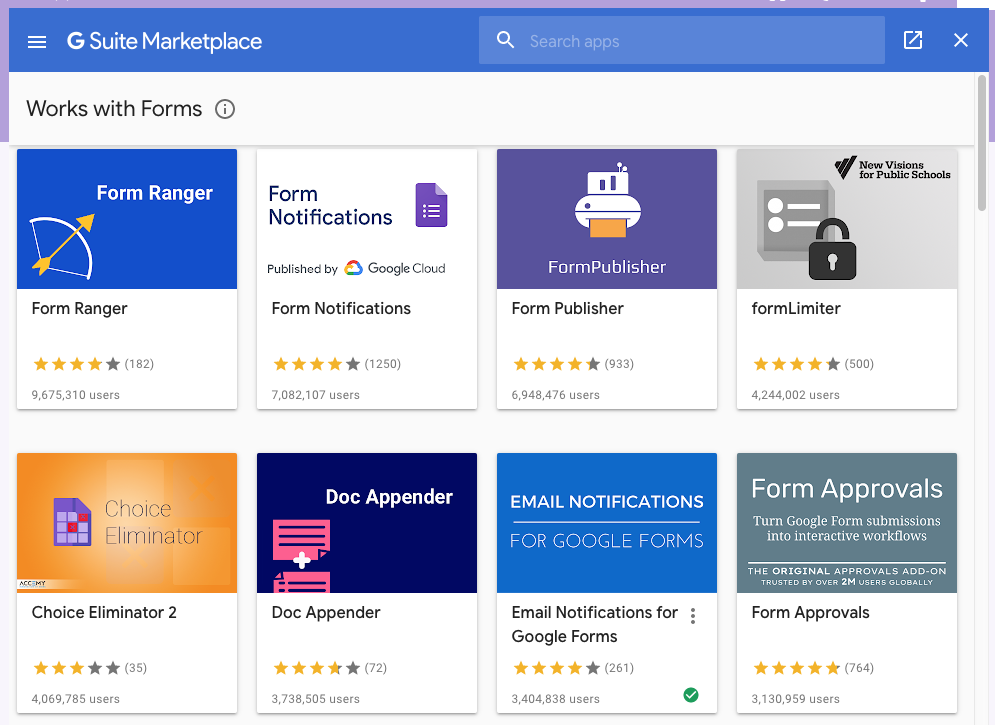
    4. Click on the hamburger 🍔 menu (the 3 dots make a bun and burger) and click add-ons.

      Choose the add on called Email Notifications for Google Forms. It allows for the entire form to be emailed and attached as a PDF. It’s great that you can store your Google form details in a spreadsheet and also attach them to your email as a PDF.
    5. Follow the instructions in the help files on Amit Agarwal’s website and you will find that it’s very intuitive. If you’d like me to record a screencast or follow up with more information just let me know!

    I hope this technology tip was helpful and if you end up building a new form because of it please let me know!